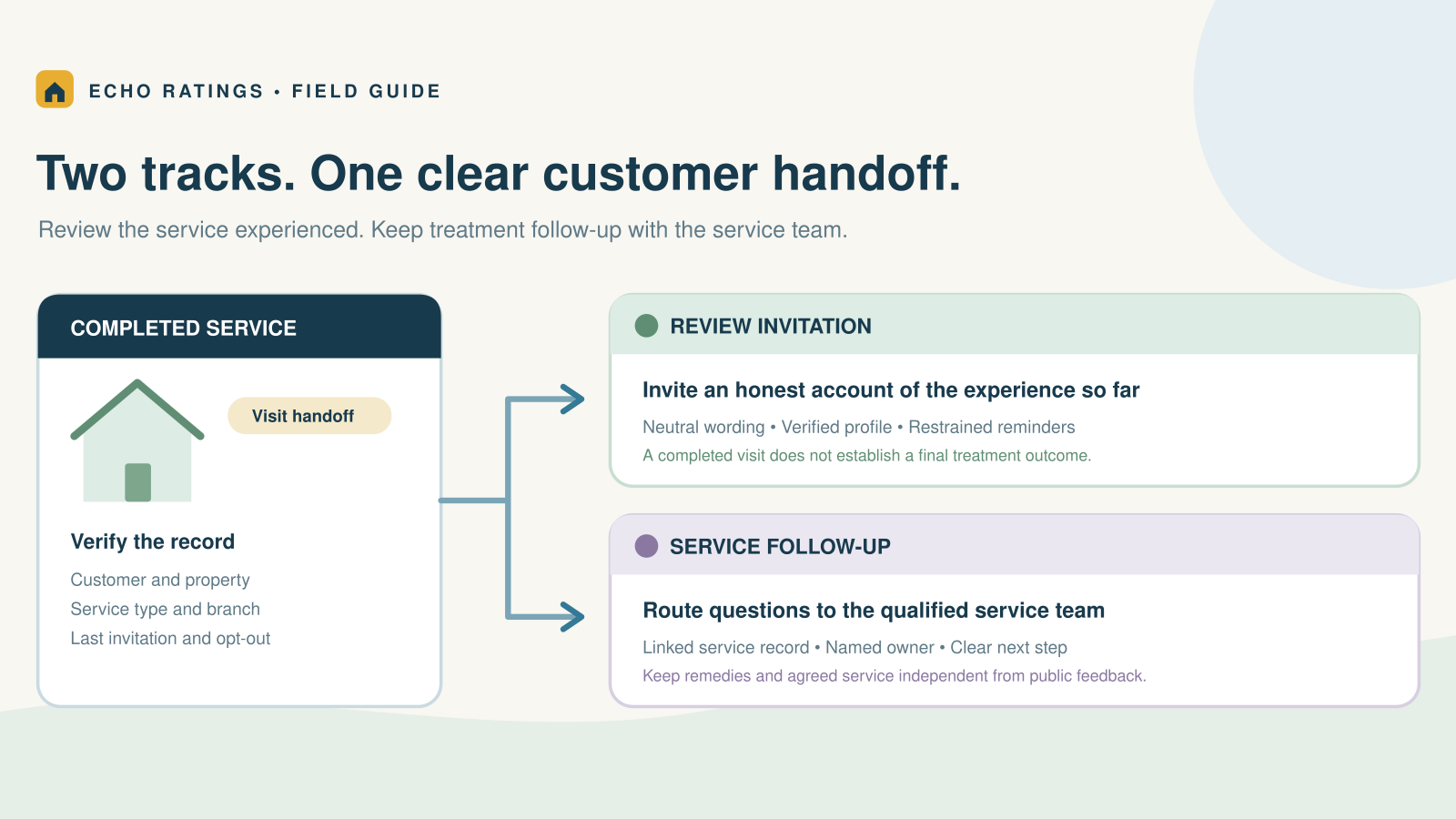

Build a review process around the service the customer has experienced
A pest-control visit can end before the customer can judge the full treatment outcome. An inspection, an initial treatment, recurring prevention, and a scheduled follow-up are different service events. A useful Google review process recognizes those differences instead of sending an identical request whenever a technician closes a ticket.
The aim is to invite an honest account of a genuine service experience: scheduling, communication, the visit, the explanation provided, and any follow-through the customer has experienced. A review invitation should not imply that an infestation is resolved or that a promised result has already occurred.
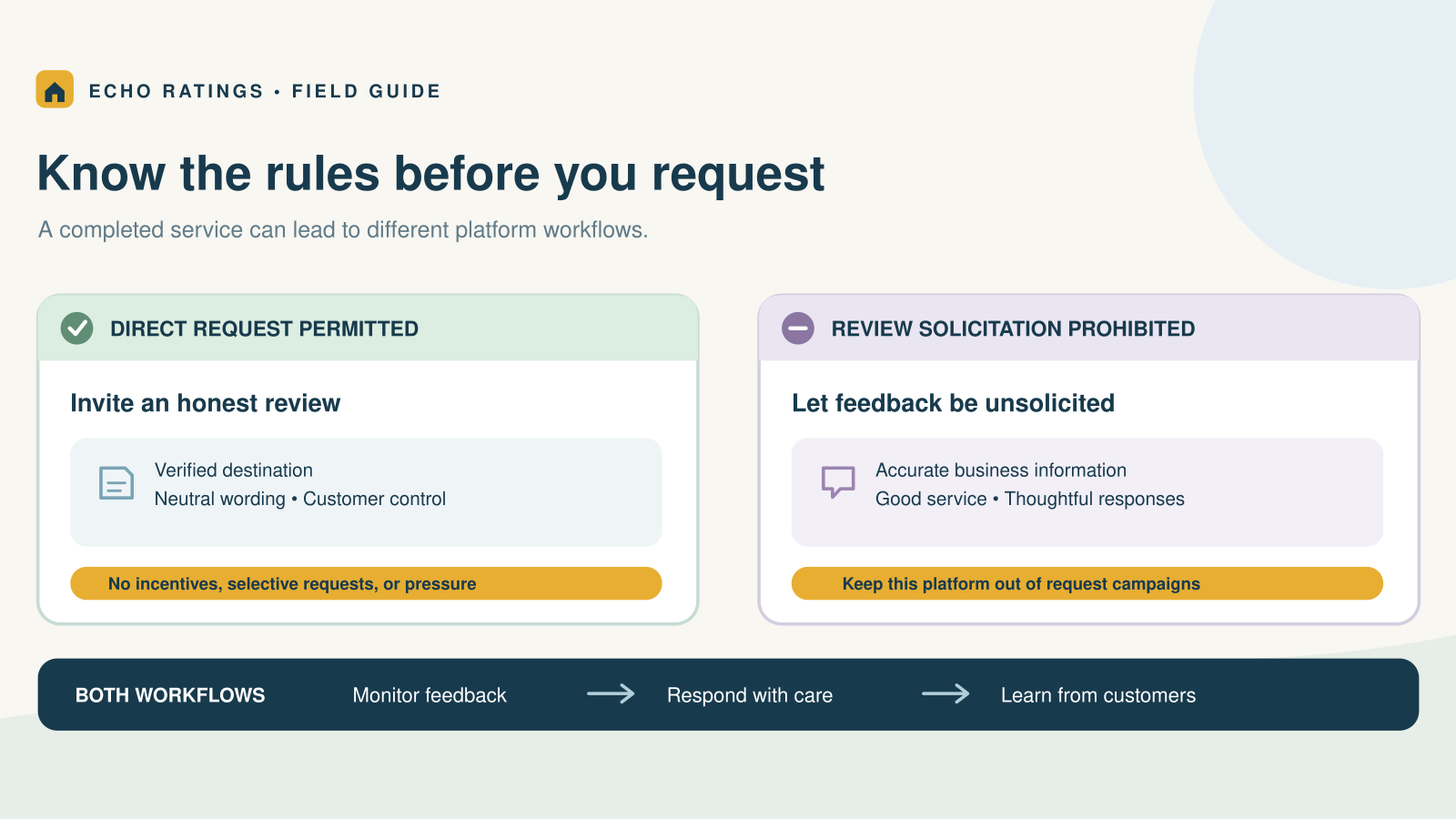
Google’s review guidance allows businesses to share a direct link or QR code and encourages honest, balanced feedback. The timing choices in this article are operational recommendations, not a Google-required schedule. The broader home-service review guide explains the basic request system.
Choose a milestone for each service type
Inspection or assessment
If the customer purchased an inspection as a complete service, a request can follow delivery of the agreed findings and explanation. Ask about the inspection experience. Do not describe a treatment that was only quoted or recommended as work already performed.
Initial treatment
Define what completes the visit: the agreed work, documentation, customer handoff, and any instructions that the qualified service team must provide. If the invitation follows that milestone, keep it about the service experienced so far. If your contracted service is still incomplete, keep the request on hold until the agreed completion point.
Recurring prevention or maintenance
A household may have several service tickets during a long customer relationship. Set a conservative customer-level frequency rule and record the last invitation. Do not treat every recurring visit as a new opportunity to ask the same person again. A new appointment ID is not a new customer.
Follow-up, callback, or warranty work
Keep the follow-up connected to the original service record. Resolve the agreed work and document the handoff before reassessing request eligibility. Do not turn each callback into a fresh campaign or make a warranty visit depend on a public review.
The EPA’s consumer fact sheet on choosing a pest-control company emphasizes discussing the proposed control program, special instructions, and evaluating results. That supports a practical distinction for office teams: service communication and outcome follow-up need their own owners, separate from the review invitation.
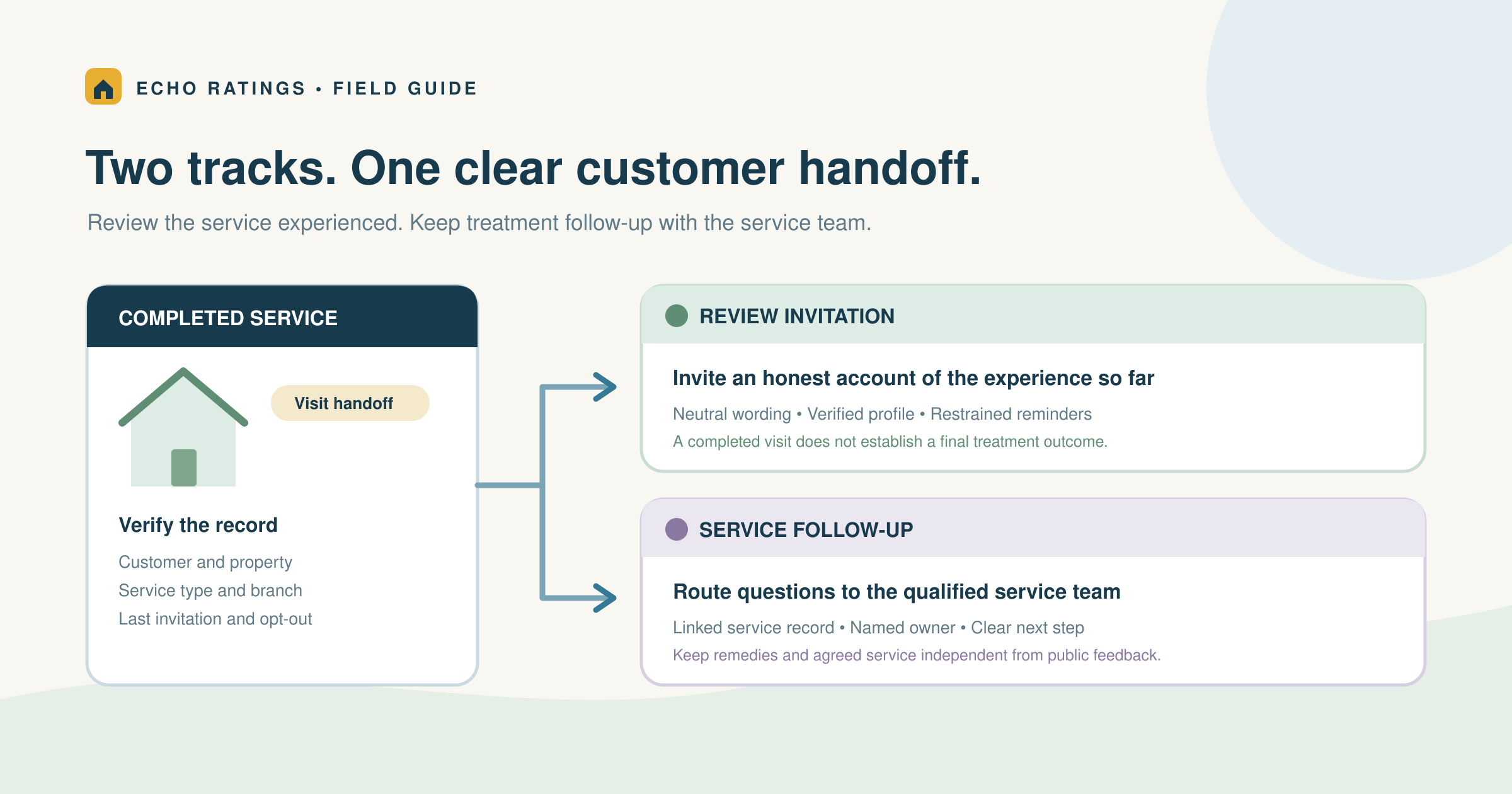
Keep the review workflow separate from treatment follow-up
Your review system should never decide whether a customer needs another service visit or what treatment advice to provide. Those decisions belong with the qualified pest-control team and its service protocols. Send customer questions about the work, instructions, or concerns to that team rather than answering them with a generic campaign message.
A useful closeout record contains the customer and property IDs, completed service type, completion time, serving branch, handoff status, linked follow-up ticket, contact preference, opt-out status, last invitation date, and verified review destination. Store only information the workflow needs, with access appropriate to staff roles.
For rented or managed properties, identify who booked and can evaluate the service. The owner, property manager, and occupant may have different roles and contact preferences. Do not send an invitation to every person attached to a building record. Keep the customer, service property, and communication recipient distinct, and confirm the appropriate recipient before the campaign runs.
Use objective eligibility and hold reasons
Suppress test records, canceled visits, jobs with no service, invalid contacts, opt-outs, duplicates, and work that is genuinely incomplete. Give a hold a reason, owner, and reassessment point. Do not exclude a completed customer simply because someone expects a critical review.
Google’s Maps content policy bars selective positive solicitation and discouraging negative feedback. A private satisfaction score should not determine who receives the public review link. The review-gating guide explains that boundary.
Use one verified destination
Generate the direct link using Google’s review-link instructions, then test it on a phone. Confirm the company and branch before enabling sends. The link and QR-code guide provides a practical customer-path check.
When several branches share dispatch software, map the job to the legitimate serving profile. Google’s Business Profile guidelines explain service-area businesses and which separate staffed locations qualify for their own profiles. Do not create extra listings around rented mailboxes or route all customers to the branch with the strongest rating. Use the multi-location guide to document routing and ownership.
Define send and stop conditions
Choose a reasonable local hour after the customer has had a chance to assess the relevant service. Use one clear invitation and, if appropriate, one polite reminder. Stop after a response, opt-out, failed delivery, or the written limit. When a customer raises a concern, assign a person and review queued follow-ups rather than letting reminders run blindly.
The review automation guide covers triggers, duplicate suppression, and stops. Keep the same public-review eligibility rule regardless of predicted satisfaction.
Use request templates that do not promise an outcome
Completed inspection: “Thank you for choosing [Company] for your inspection. If you would like to share your experience with the visit and our team, we would welcome an honest Google review: [verified review link].”
Initial service visit: “Thank you for having our team out today. If you have a moment, please share your honest experience with the service so far: [verified review link]. If you have questions about the work or your service instructions, please contact [service contact].”
Recurring-service milestone: “Thank you for continuing to trust [Company] with your service. If you would like to share how your experience has been, here is our Google review link: [verified review link].”
Replace all placeholders before sending. The service contact should reach a person or monitored channel. Do not use a favorable survey answer as a condition for seeing the review link. The home-service templates offer more neutral wording.
Keep incentives, scripts, and pressure out of the handoff
Google’s policy prohibits incentives and requests for specific review content. Let the customer choose their rating and words. Avoid assigning service keywords, a technician’s name, or a claim about treatment success for them to include. Keep any optional QR card available for later use without requiring a review while staff are present.
The FTC’s Consumer Reviews and Testimonials Rule Q&A addresses fake reviews, sentiment-conditioned incentives, insider relationships, and suppression. Keep invitations free of promised benefits or compensation, and assess platform rules separately from legal requirements. The Google and Yelp comparison explains why one request campaign should not be copied to every platform.
Reply without exposing the customer’s home
Google’s review-management guidance explains that replies are public and recommends professional, helpful responses. For a positive review, thank the customer for a detail they chose to share. For criticism, acknowledge the concern and provide a private service contact.
Do not add the property address, access arrangements, household members, treatment details, photos, or private service history to a public reply. Check the records privately before promising a remedy. A concern about ongoing pest activity needs review by the service team; a public exchange should not become an improvised treatment consultation.
The negative-review response guide provides a fuller triage process. A low rating alone is not grounds for removal; use the reporting route only when the content appears to violate the platform’s rules.
Measure distinct customers and service issues, not just appointments
A recurring pest-control route can generate many appointments for a smaller group of households. Keep completed visits separate from unique customers eligible for an invitation. Otherwise, an appointment-based target can push the office toward duplicate requests.
- Eligible customers by service type and branch
- Invitations, holds, duplicate suppressions, and opt-outs
- Requests per customer within the chosen time window
- Delivery problems and wrong-profile links
- Review-response coverage and unresolved concerns
- Feedback themes such as punctuality, communication, explanation, and follow-through
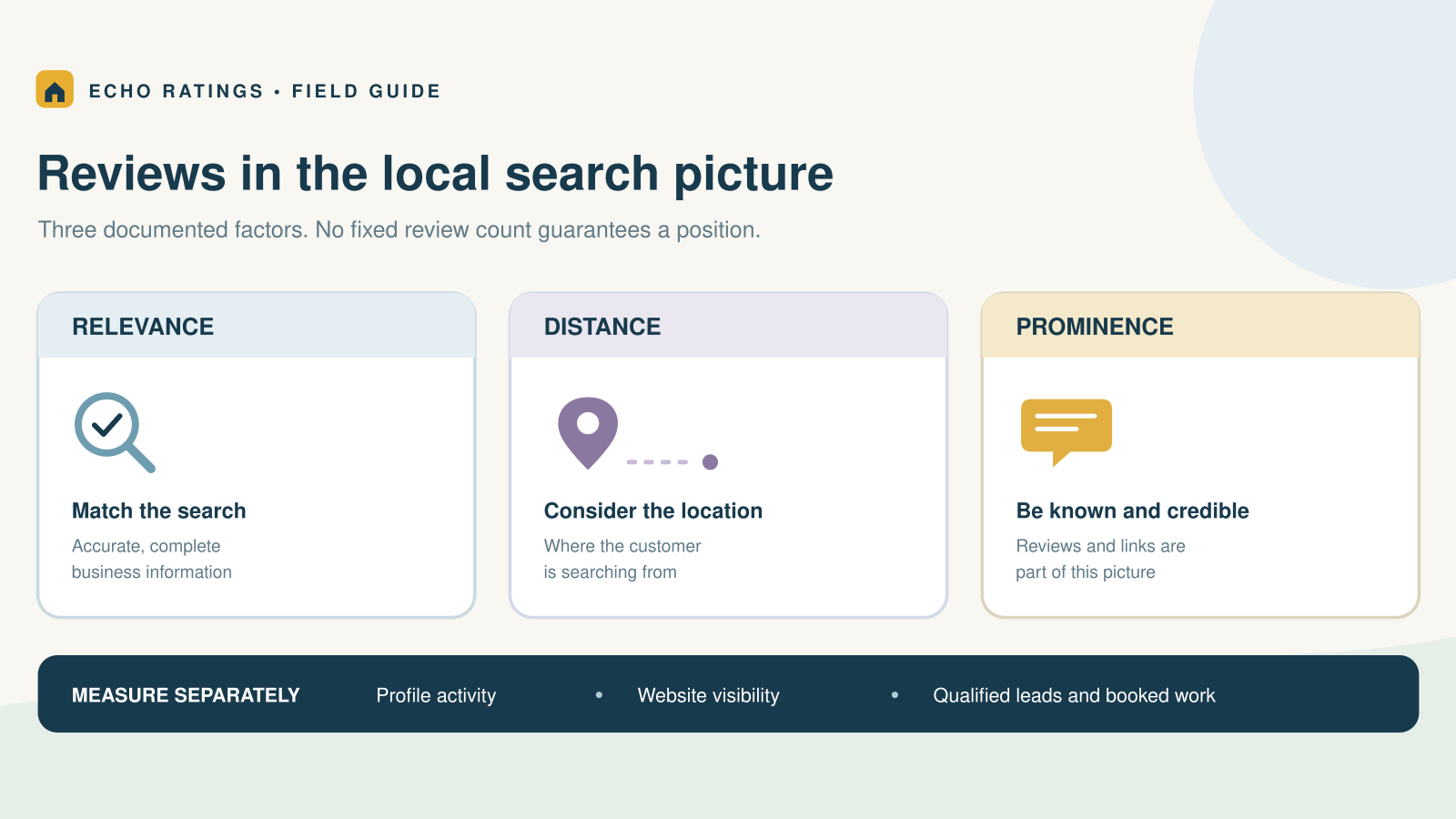
Review the comments for actions your team can own. A recurring mention of unclear next steps may call for a better handoff, not a larger campaign. Do not promise that a review count will deliver a specific ranking or revenue result. The reviews and local SEO guide explains how to assess visibility and business outcomes separately.
Test the handoff before enabling a campaign
Run a small set of realistic records through the workflow:
- A completed inspection with findings delivered
- An initial visit with the service handoff recorded
- A job with contracted work still unfinished
- A recurring customer who was recently invited
- A callback linked to the original job
- A completed customer who gave critical private feedback
- An opt-out, invalid contact, duplicate household, and branch mismatch
Inspect the eligibility result, hold reason, message, destination, and queued reminder for each. Give the dispatcher and service manager a chance to confirm that the completion status matches the work. Review scripts and printed cards as well as the software.
An illustrative pest-control branch might discover that every callback creates a new customer record and a duplicate invitation. Fix the record linkage before expanding sends. This is a proposed diagnostic example, not a customer case study or a claim about results. The contractor software checklist can help you evaluate permissions, reporting, and safeguards.
Frequently asked questions
Should we wait until the entire pest problem is resolved?
Choose a written milestone that reflects the service actually completed and what the customer can assess. Do not imply that an initial visit proves a final outcome. If the agreed service is unfinished, keep it on hold until the defined completion point.
Should every recurring visit trigger a request?
No. Track the customer relationship and recent invitations, then apply a restrained frequency rule.
Can we request only from customers who report no pest activity?
No. That would select customers based on a favorable outcome. Use neutral service eligibility instead of predicted sentiment.
Can we resolve a complaint before dealing with the review?
Assign the service concern promptly and keep remedies independent from public feedback. Do not require a customer to change or remove a review to receive an agreed service.
Make feedback part of a clear service relationship
A good pest-control review process respects the difference between a completed visit, ongoing follow-up, and a customer’s own assessment. Explore Echo Ratings to organize review requests, monitoring, and responses. Compare pricing, run a free reputation audit, start a trial, or talk with the team.
This article provides general operational information, not treatment or legal advice. Qualified service professionals should handle treatment questions; check current platform, privacy, and messaging requirements for your business.