Multi-location review management is an operating system
A home-service brand with several branches cannot manage reviews reliably by copying one location's process across the company. Each completed job must connect to the correct Google Business Profile, local team, request template, response owner, and reporting group. If any of those relationships are unclear, customers may receive the wrong review link, managers may miss important feedback, and company-wide reports may hide a struggling location.
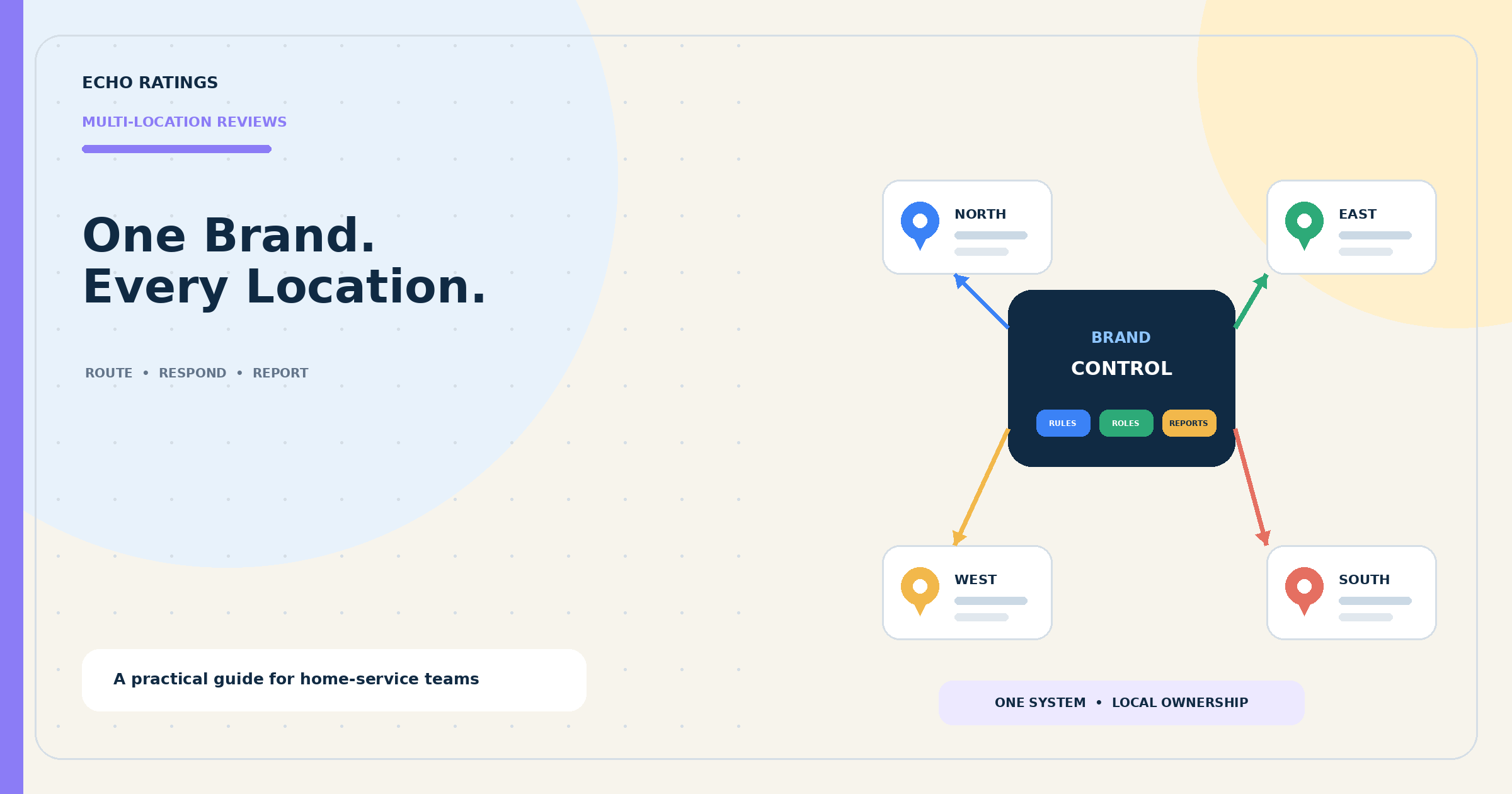
The goal is one governed system with local accuracy. Headquarters defines the common rules, approved language, escalation standards, access model, and reporting definitions. Each branch keeps responsibility for verified location information, customer context, service recovery, and timely follow-through.
Start by creating a location inventory. Give every operating branch a stable internal location ID and record its public business name, service area or address, Google Business Profile URL, direct review link, primary owner, local manager, time zone, phone number, source-system identifier, and current verification status. Do not use the location name alone as the key; names change, abbreviations vary, and nearby branches may look similar.
Google says business groups can organize profiles, apply changes, and share access across multiple profiles. Its current business-group guidance explains how profiles can be grouped and managed together. Google also provides a bulk-verification process for eligible organizations with 10 or more profiles of the same business, but its eligibility rules include important limitations, including for service-area businesses. Treat bulk verification as a profile-management option, not as the review-management strategy itself.
Define the source of truth for every location
Choose one operational system to determine which branch served the customer. Depending on the company, that may be a field-service platform, CRM, scheduling tool, franchise system, or accounting record. The source should provide a stable location or territory value when the job reaches an objective completion state.
Create a routing table that maps that value to the correct review destination. Include an exception queue for missing, conflicting, or newly created locations. A dispatcher or technician should not have to choose among a long list of profiles after every job.
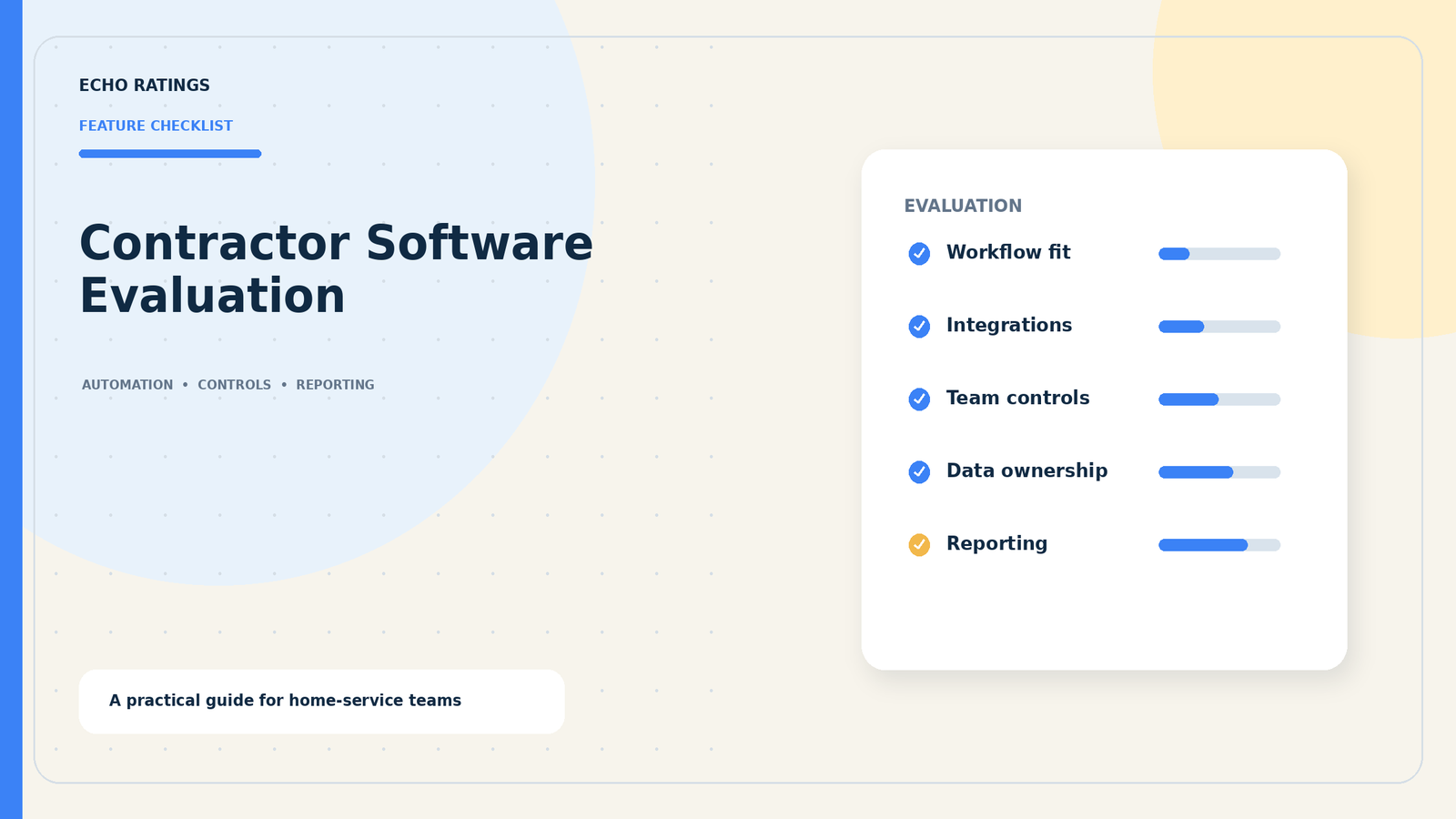
If the company is still developing its baseline process, begin with the home-service Google review guide. Teams comparing platforms can also use the contractor reputation-software evaluation to assess routing, permissions, integrations, and reporting.
Build one request policy with location-aware delivery
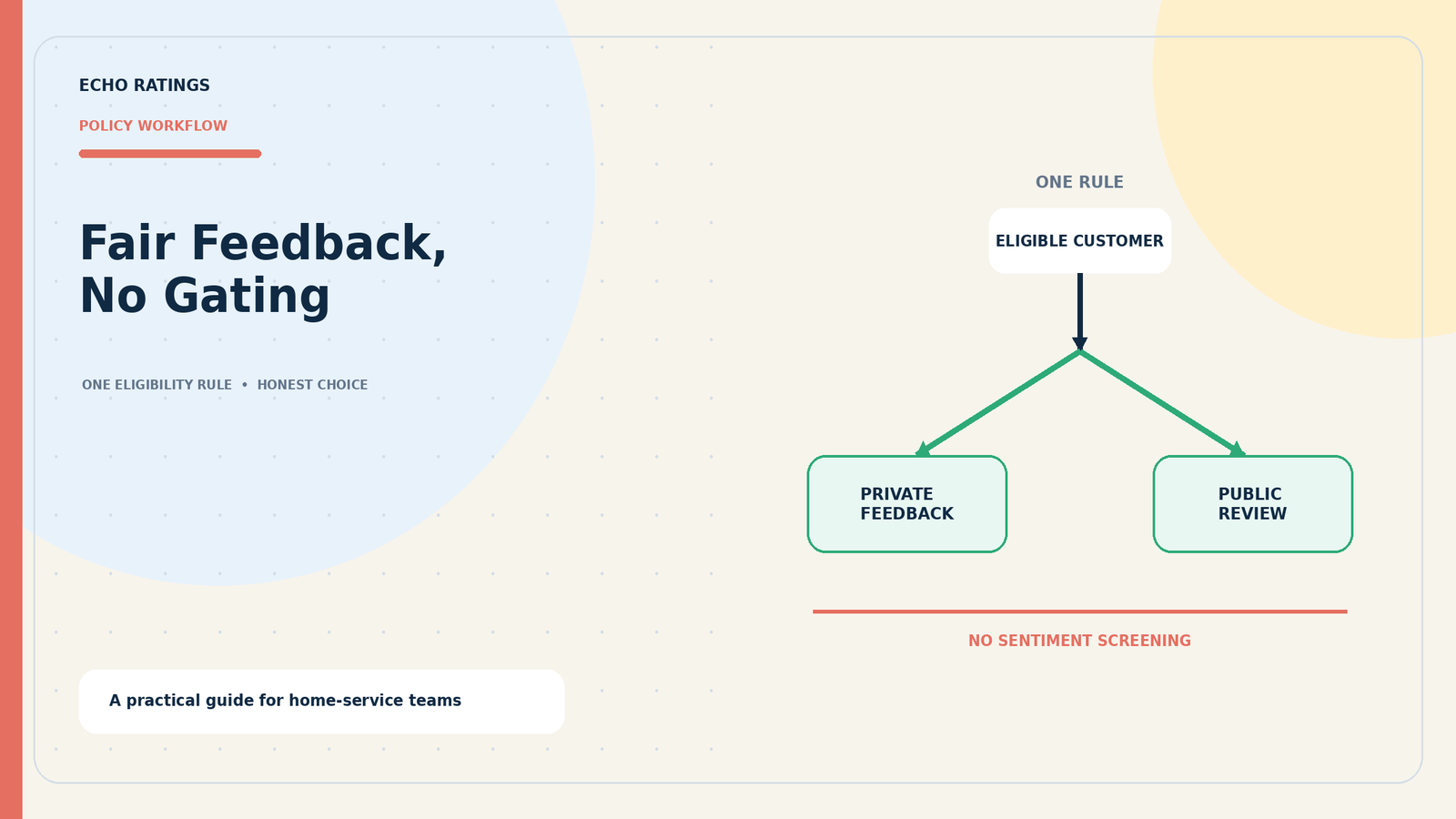
The eligibility rule should be consistent across the brand. A practical rule might send a neutral request after every eligible completed service event while excluding cancellations, test records, duplicate contacts, missing consent, prior opt-outs, and jobs that are not actually complete. The rule should not change because a technician predicts the customer will leave a low rating.
Use location data before sentiment data
The workflow should make four decisions in order: Is the service event eligible? Which location completed it? Which approved message and send window apply? Which verified review link belongs to that location? Customer sentiment should not decide whether the public review option appears.
Google's Maps user-generated content policy prohibits fake engagement, incentives for reviews, discouraging negative reviews, and selectively soliciting positive reviews. The FTC's Consumer Reviews and Testimonials Rule Q&A also addresses fake reviews, sentiment-conditioned incentives, and review suppression. Apply the same honest-feedback standard to every location.
For a deeper workflow, use the guide to automating requests after a service call and the explanation of review gating.
Standardize what should be standard
- Eligibility: Use the same documented completion and exclusion rules.
- Tone: Ask for an honest review without requesting a particular rating.
- Safeguards: Use duplicate suppression, opt-out handling, quiet hours, limited reminders, and stop rules.
- Approvals: Control who can change templates, links, integrations, or send logic.
- Audit history: Record which rule, template, destination, and user affected each action.
Localize only what customers need
Local details may include the branch name, service-area language, phone number, time zone, bilingual copy, or manager contact path. Keep those fields controlled rather than allowing every branch to rewrite the full message. The home-service review request templates provide neutral starting points, while the review-link and QR-code guide explains how to test each destination.
Test every location from the customer's perspective. Open the final link while signed out, confirm the correct public profile, review the mobile experience, and record the test date. Retest after a move, rebrand, acquisition, profile reinstatement, territory change, or system migration.
Give central and local teams clear response roles
A shared inbox is useful only when every review has an owner. Define responsibilities before volume grows. A central administrator can manage platform connections, brand standards, templates, permissions, and reporting. Regional leaders can monitor exceptions and performance across assigned branches. Local managers can verify job context, coordinate service recovery, and approve responses within their scope.
Google recommends giving each person their own access instead of sharing passwords. Its current owner and manager guidance explains that both roles can respond to reviews, while owners retain additional user-management controls. Review access quarterly and remove former employees, agencies, or contractors promptly.
Create a response queue with escalation levels
- Routine praise: Local staff may use an approved framework and one verified detail.
- Ordinary service complaint: Assign the local manager, check the job record, and provide a private next step.
- Safety, legal, discrimination, employee-conduct, privacy, insurance, or chargeback issue: Pause the routine response and escalate to the designated leader.
- Suspected policy violation: Preserve evidence and use the platform's reporting process; do not promise removal.
Google notes that businesses must be verified before they can reply and that replies are public. Its review-management guidance recommends relevant, professional responses. Use the Echo Ratings guide to responding to negative home-service reviews for triage, templates, and escalation details.
Report the system without erasing local context
Company-wide averages can conceal large differences in job volume, profile age, service mix, market conditions, and process adoption. Use a roll-up dashboard, but preserve location-level detail and compare each branch with its own baseline.
Track controllable workflow measures
- Eligible completed jobs by location
- Requests attempted, delivered, failed, and suppressed
- Review-link clicks when reliably available
- New review volume and review recency
- Response coverage and median response time
- Unassigned or overdue reviews
- Routing errors, duplicate sends, opt-outs, and integration failures
- Recurring service themes and unresolved escalations
Do not treat a location's star rating as a complete performance score. A branch with few historical reviews can move sharply after one review, while a mature profile may change slowly. Use review data alongside service records, callbacks, cancellations, warranty work, and customer-support trends. Avoid claiming that a rating change caused a specific revenue or ranking result unless the company has evidence to support that conclusion.
A useful monthly meeting asks where the workflow failed, which customer themes repeat, what the location can control, who owns the fix, and when the team will verify the change.
Roll out the program in four controlled phases
Phase 1: Inventory and ownership
Confirm every active profile, direct review link, verification status, owner, manager, service territory, and system identifier. Resolve duplicates and access gaps before automating requests. Document which team owns profile changes and which team owns the customer workflow.
Phase 2: Pilot two different locations
Choose locations with different volumes or operating patterns. Use the same eligibility policy, one approved template, one limited reminder, and location-specific review destinations. Test completed jobs, cancellations, callbacks, multi-day projects, repeat customers, invalid contacts, opt-outs, and ambiguous territories.
Phase 3: Add response governance
Assign routine and escalated reviews, set practical response targets, and require human review for sensitive situations. Sample responses for accuracy, privacy, tone, repetition, and actual follow-through. AI can prepare a draft, but it should not invent job details or publish a risky reply without review.
Phase 4: Expand in waves
Add locations in manageable groups. Require each branch to pass the same launch checklist: verified profile, tested link, correct source-system mapping, approved users, template preview, exception handling, response owner, and reporting visibility. Keep a rollback process if routing or integration errors appear.
Use a multi-location launch checklist
- Every operating branch has one stable internal location ID.
- Each location maps to the correct verified public profile and review link.
- Ownership and manager access are current and password sharing is unnecessary.
- Eligibility rules are objective, documented, and independent of predicted sentiment.
- Templates request honest feedback and contain the correct local details.
- Duplicate suppression, opt-outs, reminders, quiet hours, and stop conditions are tested.
- Routine reviews and sensitive escalations have named owners.
- Location dashboards and company roll-ups use the same metric definitions.
- Changes to links, templates, permissions, and routing rules are auditable.
- Managers know how to report an error and pause the workflow.
Frequently asked questions
Should every location have its own review link?
Use the direct link for the verified profile that represents the branch or service operation that completed the work. Do not send every customer to one default profile simply because it is easier to administer. The routing table should make the decision automatically from trusted job data.
Can a central team respond for every branch?
Yes, if the team has appropriate access and enough verified local context to write an accurate response. Centralization can improve coverage and consistency, but the local manager should still own service recovery and confirm sensitive facts before publication.
Should locations use identical request messages?
Use one approved structure and policy, then populate controlled local fields such as branch name, language, phone number, or contact route. This keeps the customer experience recognizable without putting incorrect local information into a company-wide template.
How should service-area businesses handle location routing?
Map each completed job to the verified profile that legitimately represents the responsible service operation under Google's current eligibility and representation rules. Do not create profiles or destinations merely to divide review volume. When territories overlap, send the record to a documented exception queue instead of guessing.
What should headquarters compare across locations?
Compare process measures built from consistent definitions: eligible jobs, delivery success, response coverage, response time, unresolved issues, opt-outs, routing failures, and recurring service themes. Review count and rating still matter, but they need context such as profile age, job volume, and the location's own baseline.
Choose consistency without losing local accountability
Strong multi-location review management does not force every branch into identical customer communication. It gives the brand one dependable framework while preserving the local facts and ownership needed to serve customers well. The result is easier administration, fewer routing mistakes, clearer response responsibility, and reporting that leads to action.
Explore the Echo Ratings product to see how review requests, monitoring, and responses can fit into one workflow. You can also compare pricing, establish a baseline with a free reputation audit, start a 14-day trial, or book a walkthrough for your locations.
This article provides general operational information, not legal advice. Review applicable messaging-consent, privacy, franchise, employment, and platform requirements with qualified advisors for your organization.