
Google review request templates that feel personal—not pushy
The best review request does not sound like a campaign. It sounds like a helpful follow-up from a business that remembers the customer, respects their time, and genuinely wants feedback.
For a home-service company, the ideal message is sent after the work is complete, references the service without exposing private details, and takes the customer directly to the Google review form. Google provides businesses with a review link and QR code specifically for this purpose. You can create yours using Google’s official review-link instructions.
If you are still designing the complete workflow around these messages, start with our guide on how home-service businesses can get more Google reviews.
What every review request should include
- Your business name: Customers may not recognize the sending number immediately.
- A clear service reference: Mention the general job type or that the service was completed.
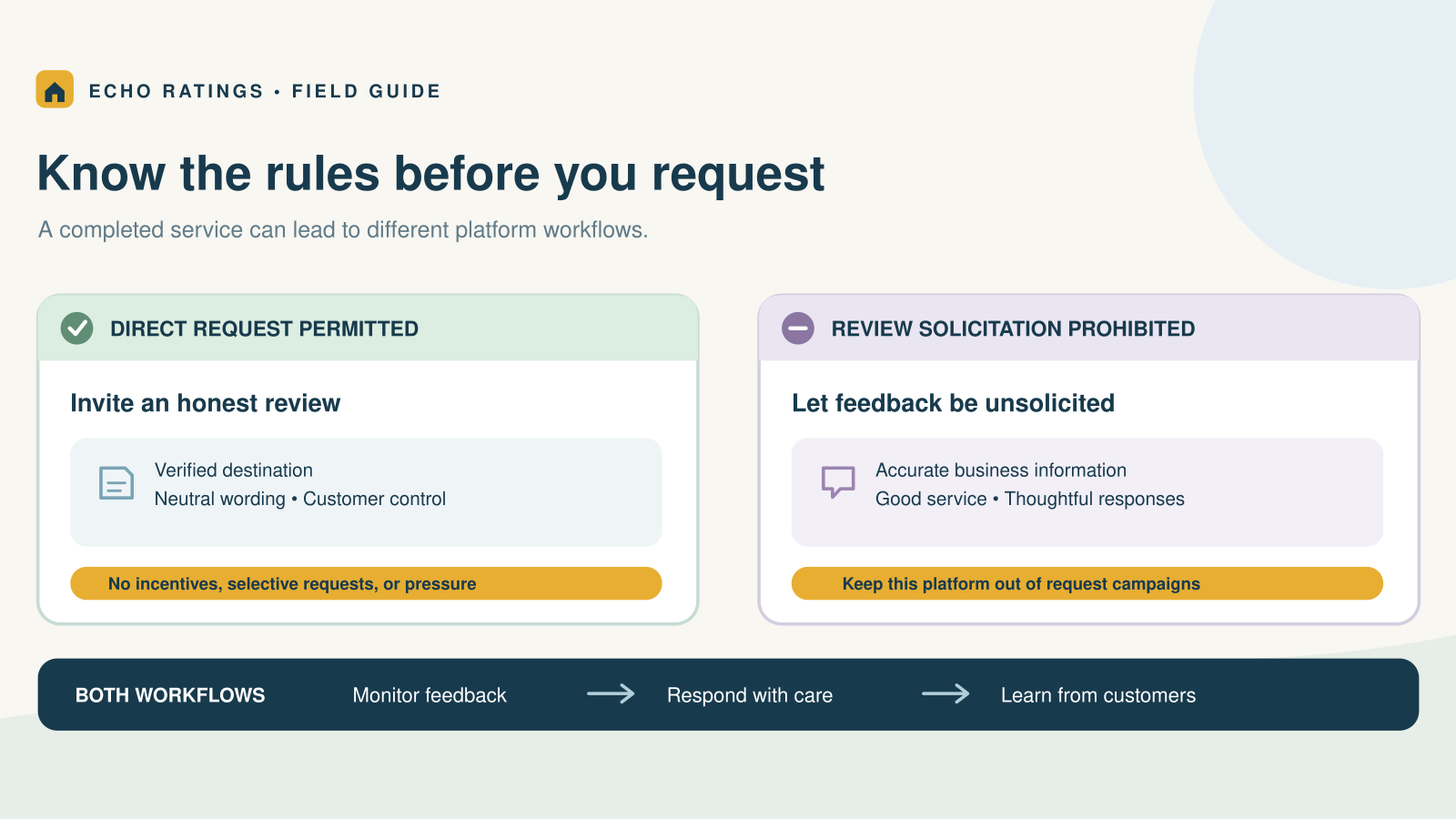
- A neutral request: Ask for an honest review, not five stars or a positive review.
- One direct link: Remove extra steps by linking directly to the Google review form.
- A respectful exit: Make it easy for customers to stop automated messages or opt out when applicable.
The safest language to use
Use phrases such as “share an honest review,” “tell us about your experience,” and “your feedback helps our team improve.” Avoid “give us five stars,” “leave a positive review,” or any message that implies the customer will receive a benefit for a favorable rating.
Google permits businesses to request reviews based on genuine experiences, but prohibits incentives, pressure, and selectively soliciting only positive reviews. Review the current Google Maps user-generated content policy before launching a campaign.

Google review request SMS templates
Text messages work well because they are short, timely, and easy to act on. Keep the message conversational, identify the business immediately, and use a direct review link.
General completed-job template
Hi [First name], thank you for choosing [Business name] for your [service]. Would you be willing to share an honest review of your experience? [Google review link] Reply STOP to opt out.
Short SMS template
Thanks for choosing [Business name], [First name]. We value your honest feedback: [Google review link] Reply STOP to opt out.
Technician follow-up template
Hi [First name], this is [Business name]. We hope everything went smoothly with your service from [Technician name]. If you have a minute, please tell us about your experience: [Google review link] Reply STOP to opt out.
After invoice payment
Thank you, [First name]—we received your payment and appreciate your business. When you have a moment, would you share an honest review of your experience with [Business name]? [Google review link] Reply STOP to opt out.
Emergency-service follow-up
Hi [First name], we are glad our team could help resolve the issue. If you feel comfortable sharing feedback about your experience with [Business name], you can do so here: [Google review link] Reply STOP to opt out.
First reminder
Hi [First name], just a quick follow-up from [Business name]. If you have not had a chance to share feedback about your recent service, here is the link: [Google review link] Thank you. Reply STOP to opt out.
Final reminder
One last note from [Business name], [First name]: your honest feedback about your recent service would mean a lot to our team. [Google review link] No need to respond if now is not a good time. Reply STOP to opt out.
Templates by home-service category
- HVAC: “Now that your system is running again, would you share an honest review of your service?”
- Plumbing: “We hope everything is working properly after today’s plumbing service.”
- Electrical: “Thank you for trusting our team with your electrical service.”
- Cleaning: “We hope you are enjoying the finished result from today’s cleaning.”
- Roofing or remodeling: “Thank you for completing the final walkthrough with our team.”
- Landscaping: “We hope you are enjoying the finished outdoor space.”
Personalize only what your system can populate accurately. A wrong technician name or service type makes an automated message feel less trustworthy than a simple generic request.
Google review request email templates
Email gives you more space to explain why feedback matters, but the request should still be easy to scan. Use one primary button or linked line of text and avoid competing calls to action.
Subject line ideas
- How did we do?
- Tell us about your recent service
- Your feedback helps [Business name] improve
- A quick favor from [Business name]
- Thank you for choosing [Business name]
Initial email template
Subject: How did we do?
Hi [First name],
Thank you for choosing [Business name] for your [service]. We appreciate the opportunity to help.
Your feedback helps our team improve and gives local homeowners useful information when choosing a service provider. If you have a moment, please share an honest review of your experience:
Share your experience — [Google review link]
Thank you,
[Business name]
Personal follow-up from an owner or manager
Subject: A quick follow-up from [Owner name]
Hi [First name],
I wanted to personally thank you for trusting [Business name]. We work hard to make every service experience clear, respectful, and dependable.
If you are willing, I would appreciate your honest feedback about the experience:
Leave a Google review — [Google review link]
Thank you,
[Owner or manager name]
Recurring-service template
Subject: We value your feedback
Hi [First name],
Thank you for continuing to work with [Business name]. Now that we have reached [milestone or service period], we would appreciate your honest feedback about your experience with our team.
Share your feedback — [Google review link]
Thank you for your continued trust,
[Business name]
Email reminder template
Subject: Quick follow-up
Hi [First name],
Just a quick reminder in case our earlier note got buried. If you have a moment, you can share an honest review of your recent service here:
Leave a Google review — [Google review link]
Thank you,
[Business name]
When to send each message
- Initial request: After the work is complete and the customer has experienced the result.
- First reminder: Approximately two or three days later if the customer has not responded.
- Final reminder: Roughly one week after the first request, if appropriate.
- Recurring customer request: After a meaningful milestone rather than after every visit.
Use timing as a starting point, then adjust based on delivery, response, opt-out, and complaint data. More reminders do not automatically produce better results.
How to automate review requests without losing trust
Automation should make a good process consistent. It should not remove judgment from situations where a customer is still waiting on a repair, refund, correction, or final walkthrough.
Build the workflow around completed service
- Select one reliable completion event, such as job closed, invoice paid, or final walkthrough approved.
- Check that the customer is eligible to receive the message and that their contact information is valid.
- Send the initial SMS or email using the appropriate template.
- Stop reminders if the customer responds, leaves a review, or opts out.
- Send no more than one or two respectful reminders.
- Track requests delivered, clicks, reviews received, opt-outs, and complaints.
Do not use review gating
Do not ask customers to rate their experience privately and then send only satisfied customers to Google. A business can offer a private support route, but the public review opportunity should not be restricted based on expected sentiment. The FTC advises businesses not to ask only customers they expect will leave positive reviews. See the FTC’s review guidance for marketers.
Do not offer rewards for favorable reviews
Google prohibits incentives for reviews, and the FTC’s consumer-review rule prohibits compensation or incentives conditioned on positive or negative sentiment. Review the FTC’s Consumer Reviews and Testimonials Rule Q&A for current federal guidance.
Respect text-message consent and opt-outs
Automated calls and texts can be subject to federal and state requirements that depend on the message, technology, consent, and relationship with the recipient. The FCC states that consumers may revoke consent to robocalls or robotexts through reasonable means. Build systems that recognize opt-out requests and stop applicable messages promptly. Review the FCC’s consumer guidance and obtain legal advice for your specific program.
For the technical workflow behind these messages, read how to automate Google review requests after a completed service call, including triggers, suppression rules, timing, and opt-out handling.
Frequently asked questions
Should a review request ask for five stars?
No. Ask for an honest review without suggesting a rating or specific wording.
Should employees ask only happy customers?
No. Use a neutral eligibility rule based on genuine completed service rather than the employee’s prediction of what the customer will say.
How many review requests should we send?
Start with one request and one reminder. Consider a second and final reminder only if response and opt-out data support it.
Should SMS and email use the same wording?
The core message can be consistent, but SMS should be shorter. Email can provide more context and a visually prominent review link.
Can Echo Ratings automate these templates?
Echo Ratings is designed to help service businesses send review requests, follow up consistently, and manage responses from one workflow. Explore the Echo Ratings platform, review pricing, start a free trial, or book a demo.
This article provides general information and is not legal advice. Platform policies and applicable laws can change.