
Google and Yelp need different review-request rules
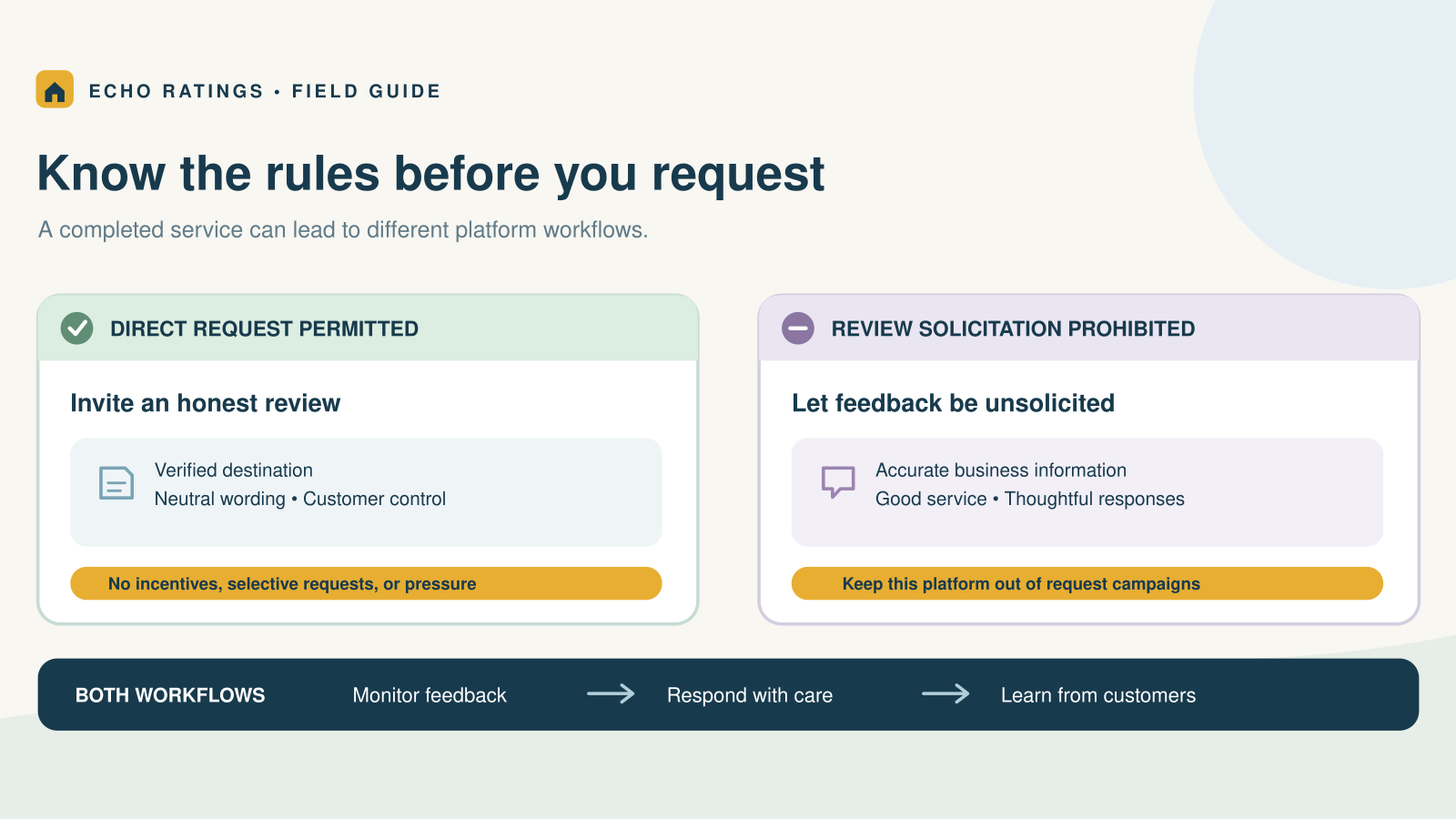
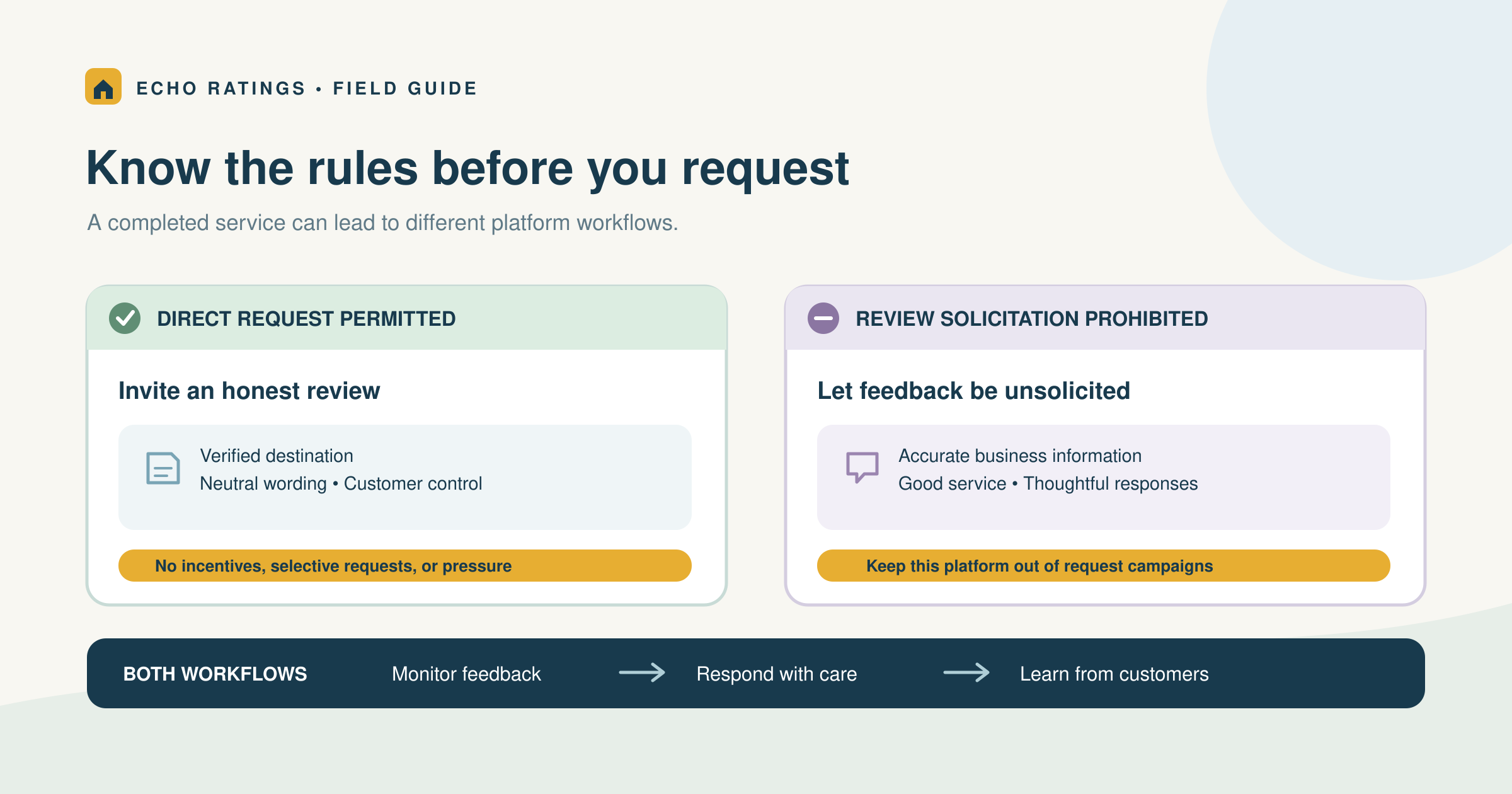
Can you ask for Yelp reviews after a home-service job? Yelp says businesses should not ask. Google, by contrast, allows businesses to invite customers to review a genuine experience using a direct link or QR code, subject to its content policies. A single “review us everywhere” message can therefore create a problem even when the wording sounds polite.
The practical approach is to separate requesting reviews from monitoring and responding to them. Your plumbing, HVAC, roofing, cleaning, or landscaping team can maintain a presence on both platforms, but the post-job invitation should follow the rules of its destination. Platform support inside a software product is not permission to run the same campaign on every platform.
This guide compares the current official policies and translates them into a workflow for owners, dispatchers, technicians, and marketers. It does not claim that one platform will produce more leads or guarantee a particular rating.
What the official guidance says
Google: a neutral invitation is permitted
Google’s review guidance allows sharing a review link or QR code and encourages honest, balanced feedback. Its Maps content policy prohibits fake engagement, incentives, selectively soliciting positive reviews, pressure to review on the premises, and requests for specific review content.
Build the request around a completed customer experience, not a desired score. For a first implementation, the home-service Google review guide covers the broader workflow.
Yelp: do not solicit reviews
Yelp’s Don’t Ask for Reviews guidance applies to customers and other audiences. It also rejects requests after surveys and staff competitions to collect reviews. Removing a reward or asking for “honest” feedback does not turn a Yelp solicitation into an allowed campaign.
For Yelp, focus on accurate business information, good service, and thoughtful responses to feedback customers choose to post. Yelp’s explanation of its review approach encourages businesses to remain engaged by responding publicly and interacting with their audiences.
Private service feedback: a separate operational purpose
A private question about whether the repair worked or the crew completed the scope can help resolve service issues. Give that feedback a person and a next step. Do not use the answer to decide which customers may see a Google review link, and do not turn a favorable survey response into a Yelp request.
Configure the campaign by destination
Start with a simple record of each platform’s role. For Google, record the verified profile, the approved invitation text, the completed-job trigger, and the stop conditions. For Yelp, record that outbound review requests are disabled while page maintenance and response ownership remain assigned.
Do not rely on a platform logo or a default “all sites” setting to define the policy. Preview the entire customer journey: text message, email, landing page, survey completion screen, and reminder. A campaign that sends a neutral email can still solicit Yelp reviews if its next page asks the customer to choose Google or Yelp to post feedback.
An illustrative HVAC workflow
Imagine a branch closes a repair ticket after the system test and customer handoff. The office checks the household’s last invitation, contact preference, and opt-out status. If the record qualifies, the campaign sends the neutral Google message for that branch. Yelp is not a selectable destination on the follow-up page. A private service question, if used, goes to the office team without changing the public-review eligibility rule.
This example is a proposed workflow, not a customer case study or a claim about results. Its useful feature is an explicit destination setting. When a provider adds a new platform or changes a landing page, the office must review that setting before the next send.
Use one verified Google destination
Google provides official link and QR-code instructions. Confirm that the link opens the correct business or branch on a phone. A scheduling system should map the completed job to that destination before it sends anything. The Echo Ratings link guide and multi-location guide explain those checks.
Keep the Google message specific and neutral
Example: “Thanks for choosing [Company] for your [service]. If you would like to share your experience, we would welcome an honest Google review: [verified Google review link].”
Replace the placeholders with verified details. Avoid a requested star rating or a script that tells the customer what to mention. Send at a reasonable local hour after the customer can assess completed work. Keep reminders restrained and stop after a response, opt-out, delivery failure, or the written limit. Those timing choices are operational recommendations, not a Google-mandated schedule.
The Google request templates provide more wording, and the automation guide covers triggers, duplicate suppression, and stops.
Do not add a Yelp request to the closeout
A job-completion receipt can communicate the work completed, payment status, care instructions, warranty information, and a service contact. Keep Yelp out of its review-request action. Review the technician’s verbal handoff too; deleting an email button does not resolve an instruction to ask at the door.
If a customer independently volunteers that they intend to share public feedback, thank them without assigning a platform, rating, or review task. A simple response is: “Thank you for the thought. There is no expectation of a public review.” Let the customer control whether and where they post.
Keep platform policy and legal requirements separate
The FTC’s Consumer Reviews and Testimonials Rule Q&A discusses fake reviews, incentives conditioned on sentiment, insider relationships, and review suppression. It explains that its rule does not prohibit every incentive for an unconditioned review, while disclosure and other legal obligations may still apply. That is not permission to disregard a platform’s stricter rules.
For the workflow in this article, keep public-review invitations free of promised benefits or compensation. A neutral request to a genuine Google customer still has to meet Google’s policies. Yelp’s no-solicitation rule applies even when there is no incentive. Have qualified counsel assess a specific campaign’s messaging, consent, privacy, and advertising requirements.
Use the same eligibility rule regardless of satisfaction
For Google, base eligibility on an actual completed service, a valid contact, the correct profile, contact permission, opt-out status, and a conservative frequency cap. Suppress tests, cancellations, duplicates, and unfinished jobs. Do not suppress a completed customer merely because the office expects criticism. The review-gating guide explains this boundary.
When a homeowner reports a missed area, damaged item, or unresolved repair, assign a service owner. Document why a genuinely incomplete job is held and when it will be reassessed. A private survey should help the team fix work, not create a hidden filter for the public invitation.
Train crews on behavior, not review totals
Check whether the technician records accurate completion details and whether the office follows the approved handoff. Avoid contests or collection targets tied to public reviews. A customer who is still talking with the crew should feel free to end the visit without writing anything.
Do not treat Yelp’s recommendation status as deletion
Yelp’s recommendation explanation says its automated software decides which reviews to recommend and that those choices can change. Reviews not currently recommended remain accessible through a link on the business page but do not count toward its overall rating or review count. Yelp also says advertisers and non-advertisers receive the same treatment and that employees cannot override the software’s decisions.
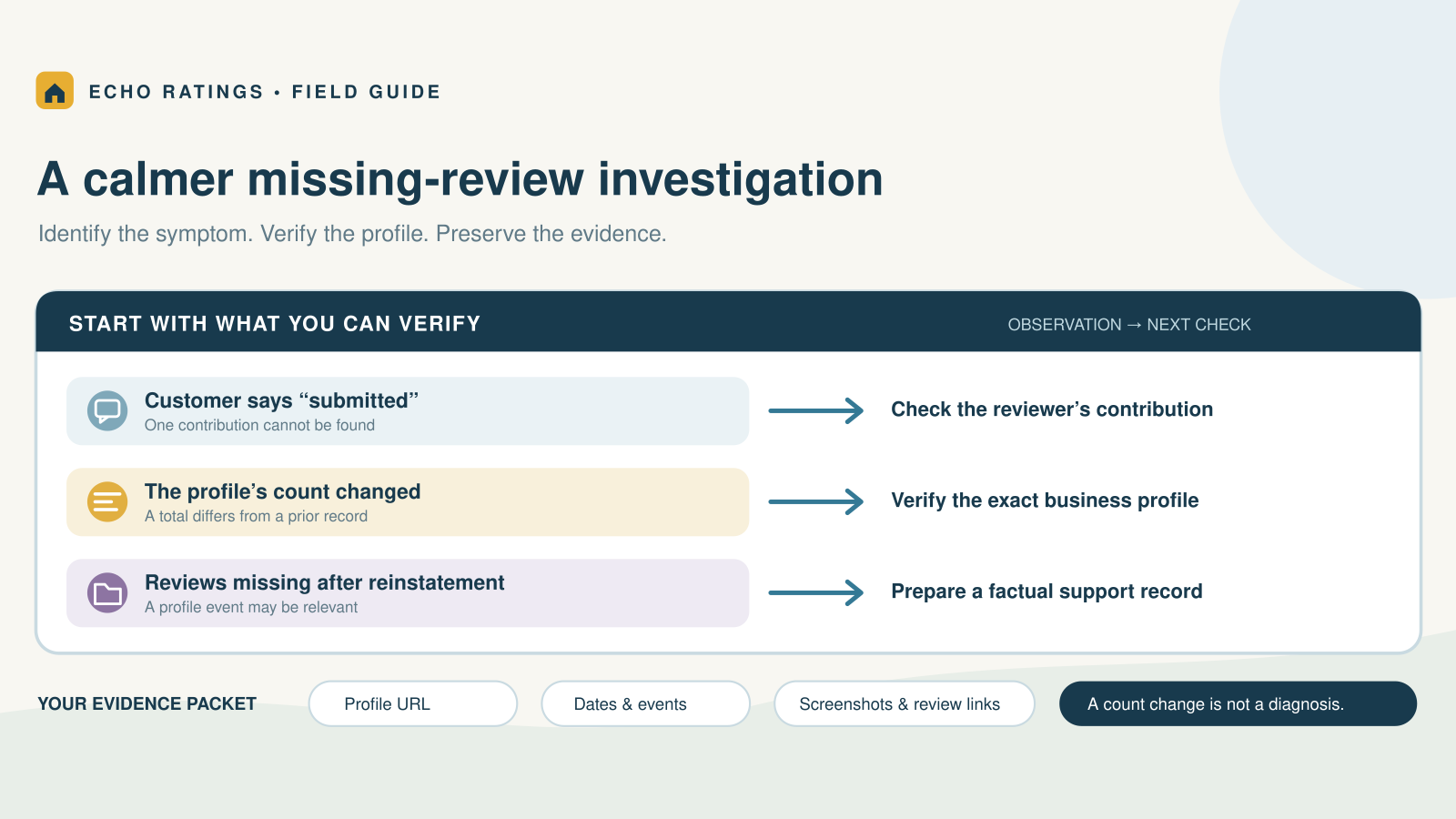
That differs from a missing or delayed Google review. Check the platform and the exact symptom before escalating. Do not promise a customer or owner that a marketing purchase will make a Yelp review recommended. For Google-specific issues, use the missing-review troubleshooting guide.
Give both platforms a response owner
A request policy does not replace review monitoring. Assign someone to check public feedback, investigate concerns, and write useful replies. For a positive review, respond to a detail the customer chose to share. For criticism, acknowledge the issue and offer a private contact route rather than arguing about the rating.
A public reply should not disclose the homeowner’s address, access code, payment dispute, schedule, photos of private rooms, or employee information. Use your service record to investigate privately. The negative-review response guide gives a practical triage process. A low rating alone is not evidence of a platform-policy violation.
Audit the whole workflow before enabling it
Use a short set of checks that an office manager can repeat when a template or integration changes:
- Destination: The Google invitation opens the correct verified profile.
- Platform scope: Yelp is absent from request emails, texts, landing-page choices, survey follow-ups, and reminders.
- Eligibility: Completed customers follow the same neutral rule regardless of predicted sentiment.
- Customer control: Opt-outs, repeat households, and reminder limits work.
- Field handoff: Technicians use the approved wording and do not pressure customers.
- Response ownership: A named person handles public feedback and service issues.
- Policy record: The team stores official source links and the date of its last check.
Test a completed job, unfinished repair, repeat customer, opt-out, complaint, and branch mismatch. Inspect the message and destination in each case. Separate campaign sends and delivery status from reviews found on a platform; neither a delivered message nor a click proves that a review was published.
Keep one owner for changes. If an agency edits the campaign while the dispatcher updates the receipt, both should use the same policy record and preview. Retire old QR cards and copied email signatures when their destination or wording is no longer appropriate. A setting in the main dashboard cannot correct a request that still lives on an older printed leave-behind.
When evaluating software, ask which actions it supports and how you can disable an outbound destination. Monitoring a platform and soliciting reviews on it are different functions. The contractor software guide can help you assess permissions, routing, reporting, and safeguards.
Frequently asked questions
Can I ask for an honest Yelp review?
No. Yelp’s policy is about solicitation itself, not only positive wording or rewards. Keep Yelp outside your outbound review-request campaign.
Can a Google request follow a private survey?
Do not use the survey score to decide who gets the public link. All otherwise eligible customers should have the same neutral invitation path.
Does a review-management tool’s Yelp integration change the policy?
No. Confirm what the integration actually does and apply the platform rules to each action. A supported connection is not authorization to solicit.
Should I ask customers to copy their Google review onto Yelp?
No. That would still be a Yelp review request. Customers should decide independently whether to share an experience there.
Build a review system with clear platform boundaries
Use the permitted Google invitation path, keep Yelp feedback unsolicited, and respond thoughtfully wherever customers choose to post. Explore Echo Ratings to organize review requests, monitoring, and responses. Compare pricing, run a free reputation audit, start a trial, or talk with the team about your workflow.
This article provides general operational information, not legal advice. Platform policies and applicable requirements can change; check the linked official guidance before changing a campaign.