
A business change needs a profile plan
A new shop, a new owner, or a new trading name can disrupt a home-service company’s review process even when technicians keep serving customers. The office may still have old QR cards, the departing owner may control the profile, and automated messages may point to a listing nobody checks.
The goal is to preserve the correct business identity and give customers a working feedback path. It is not to start over whenever the review history is inconvenient. Google’s review-transfer guidance says not to create a new Business Profile simply because the business changes location or ownership. It also explains that significant changes may affect which reviews remain relevant.
This guide helps owners and office managers prepare the handoff. It covers a different decision from day-to-day requests: which profile your existing and future customers should reach after a business change. For a routine invitation system, start with the home-service review guide.
First, identify what is actually changing
The same business is moving
Google says reviews transfer automatically when a business moves to a new address and keeps the same name, with exceptions for certain categories. Update the existing profile rather than creating a replacement as a precaution. Keep a record of the original profile and the address change so your team can explain any discrepancy accurately.
The same business has a new owner
A new owner or manager does not erase the reviews of a business that keeps its name. Handle the ownership handoff through profile access. Older criticism still needs a professional response; use the negative-review response guide to discuss improvements without dismissing a customer’s experience.
The business is changing its name or identity
Google distinguishes minor name changes from changes that constitute a new business. Do not assume a substantial rebrand or acquisition qualifies for automatic continuity. Check the current eligibility rules and seek clarification before trying to combine histories from different businesses.
The practical planning question is simple: are you updating the continuing business, transferring its management, or creating a genuinely different business? Write down the answer and the evidence behind it. A change in the bank account, dispatch software, or marketing agency is not enough information to make that decision.
This checklist is operational guidance, not a guarantee that a specific profile or review transfer will be accepted.
Prepare a handoff record before making changes
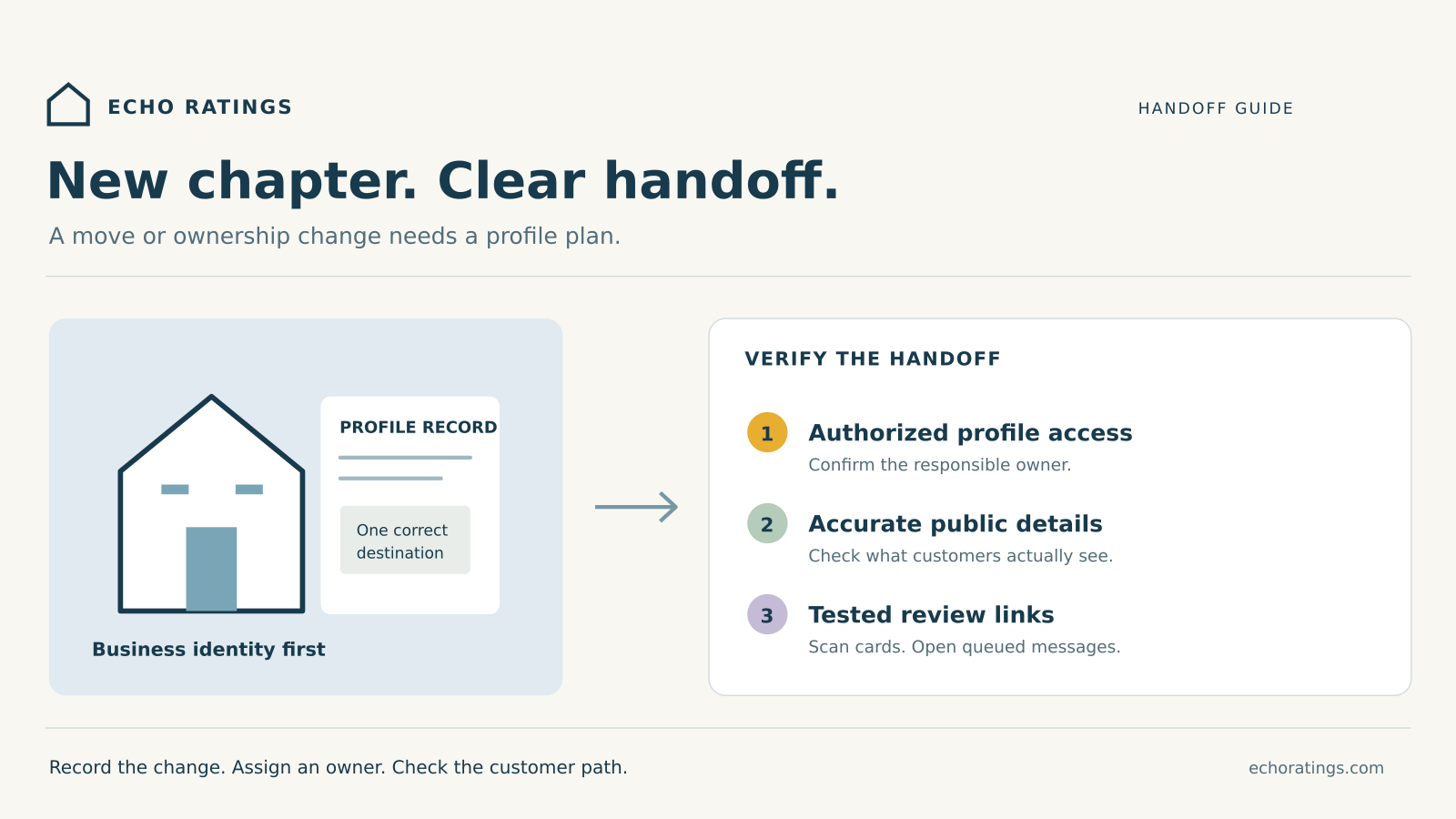
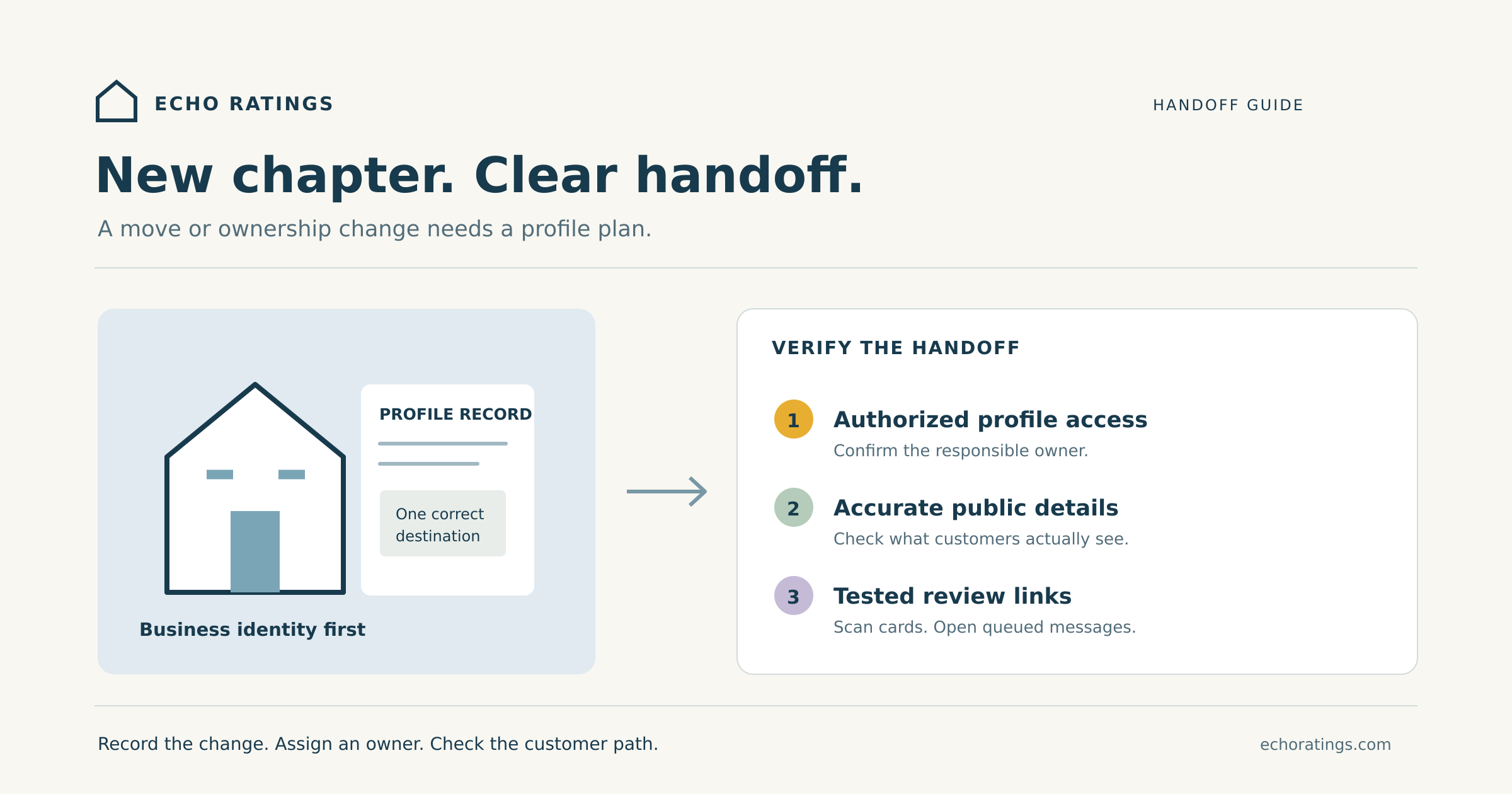
Choose one accountable person and a backup. Ask them to maintain a short change log with the planned date, affected branch, public profile link, access owner, requested edits, and follow-up actions. Separate what has been requested from what is publicly visible.
Record the starting point
Save the current public business name, profile link, phone number, website destination, displayed review count, and the date you checked them. These are reference points, not a promise that the count will stay fixed. Keep screenshots with the date and store them where the authorized team can find them.
Record the existing invitation links separately. Check email templates, SMS campaigns, invoice footers, printed cards, technician leave-behinds, website buttons, and any redirect used behind a QR code. A profile handoff is incomplete if customers still receive an untested destination.
Confirm who controls access
Google’s owners and managers guidance says each person can use their own Google Account instead of sharing a password. A profile can have multiple owners but only one primary owner; managers have different permissions. Assign access according to the person’s work rather than making every vendor an owner.
Have the incoming responsible person accept their invitation and verify that they can reach the intended profile. Do this before the outgoing administrator loses access to their email or leaves the business. Maintain a private contact list for people who can resolve an access problem.
Plan a primary-ownership transfer early
Follow Google’s primary-ownership instructions when the business changes hands. Google says transferring primary ownership maintains the business information, including reviews. Newly added owners and managers face seven-day limits on some actions, including ownership changes and removing other users.
Build that limitation into the handoff calendar instead of scheduling all access changes for the final hour. Confirm that the transfer completed, then review which outgoing users still need access. Record the outcome without putting passwords, recovery codes, or identity documents into a shared marketing spreadsheet.
Map branches individually
A company acquisition may involve several profiles and several local teams. Create one row per legitimate profile, with its current owner and intended destination. Do not treat all locations as one pool of reviews. The multi-location guide explains how to assign branch ownership and route customers consistently.
Update the profile to match the real business
Use Google’s profile-editing instructions to update the relevant information from the linked Google Account. Google reviews edits before they appear, and a business-name change may require verification again. Check the public result rather than assuming that clicking Save completed the change.
Prepare a factual list of what changed: address, phone, website, hours, customer-facing name, and service arrangements. Have the office and the responsible owner agree on those details. Update the website’s contact information and customer communications so a customer does not have to choose between conflicting instructions.
Respect the service-area business rules
Google’s business representation guidelines require accurate real-world names and locations. Businesses that travel to customers and do not serve them at their address should hide that address. Virtual offices are not eligible merely because mail can be received there; coworking locations have additional conditions.
A plumber moving dispatch from one private address to another should therefore check the address-display rules, not announce a walk-in showroom that does not exist. Do not add extra city listings or a keyword-filled business name as part of the move. Keep the profile tied to the actual operation.
Test the customer’s review path after the change
Open the review invitation on a phone using an ordinary customer path. Confirm the displayed business and location before enabling further sends. If a QR card is still in a technician’s vehicle, test that physical card rather than testing only a newly generated file.
Google’s review-link guidance explains how to retrieve the link and QR code from the profile. Use the Echo Ratings link checklist for the full destination test. Replace outdated assets only after confirming the correct destination.
Give each campaign a named owner and record the destination it uses. Check queued reminders as well as the first invitation. A completed job from the week before the move may still have a message scheduled for the week after it. The automation guide covers practical trigger and stop controls.
Keep invitations neutral. Google requires genuine experiences and prohibits review incentives, including benefits offered for changing or removing negative feedback. A move or rebrand is not a reason to ask only satisfied customers for a fresh set of reviews. The review-gating guide explains that boundary.
If reviews appear missing, investigate before creating anything
Compare the saved profile link with the one customers now reach. Check the business identity, public details, access account, and the specific reviews you can identify. A changed count is a signal to investigate, not proof that the move caused a loss.
Document the sequence of changes and any support reference. For an accidental duplicate created during a move or ownership change, Google directs businesses to contact support about transferring reviews. Use the contact route in its review-transfer guidance and describe what happened clearly. Do not delete profiles experimentally or promise staff that every review can be recovered.
The missing-review troubleshooting guide covers other visibility issues. Keep separate notes for profile edits, review visibility, and account-access problems so the person helping you can distinguish them.
A hypothetical branch handoff
Imagine an HVAC company moving its office while keeping its name and service team. The office manager records the existing profile and invitation destinations. The incoming administrator accepts access before the planned change, and the owner schedules any ownership transfer around the applicable waiting period.
After the address edit, the manager checks the public information and scans a printed QR card. One invoice template still points to an accidental duplicate, so the team holds that campaign while it verifies the correct destination and seeks support for the duplicate. The owner assigns a follow-up date rather than asking technicians to improvise new links.
This is a proposed workflow, not a customer case study or a claim about results. Its useful feature is the clear handoff: each uncertain item has an owner, evidence, and a next action.
Frequently asked questions
Should an agency change mean a new profile?
Manage the agency’s access to the existing business profile. Changing who handles marketing is different from changing the business itself.
Can a new owner remove all old criticism?
Do not treat a sale as a review-reset strategy. Assess genuine service concerns and explain improvements professionally, while following Google’s rules for the continuing business.
Will the business keep the same search ranking after moving?
Do not assume that review continuity guarantees visibility. Keep profile accuracy, review history, and search performance as separate checks. The reviews and local SEO guide explains how to evaluate those outcomes.
When is the handoff complete?
When authorized access works, public details have been checked, customer links reach the intended profile, and unresolved issues have owners. Record the date and arrange a follow-up check after the next invitation cycle.
Keep your review workflow connected
A business change should leave your team with a clearer operating record. Explore Echo Ratings for review workflows, compare pricing, or request a free reputation audit. You can also start a trial or talk with the team. Google controls profile eligibility, verification, and review-transfer decisions.
Official guidance was checked October 26, 2026. This article provides general operational information, not legal advice about a sale, acquisition, or business identity.