
When a bad review becomes a removal demand
A low rating is not, by itself, evidence of extortion. A homeowner may be unhappy with a repair, an estimate, a missed appointment, or the way a complaint was handled. That feedback still deserves a fair review of the service record.
Google review extortion is a different problem: someone demands money, goods, services, or another favor in exchange for removing reviews. Google describes scams that can start with a sudden group of low ratings followed by a removal offer. Its official extortion guidance says not to engage with or pay the people making the demand. Payment does not guarantee removal.
For a home-service company, the first useful move is to assign an owner, preserve what happened, and choose the appropriate reporting route. Do not let technicians, dispatchers, and marketing staff negotiate separately. The workflow below is an operational checklist, not a promise that Google will remove a review.
Separate three situations before taking action
A customer complaint about the work
A customer who says a repair failed and asks you to honor a warranty is raising a service issue. Review the contract and job record privately, then assign the concern to someone who can act. A critical review or refund request alone does not establish an extortion attempt. Use the negative-review response guide for ordinary complaint triage.
A suspicious review without a direct demand
An unfamiliar name, unusual wording, or several reviews arriving together can justify investigation. It does not prove who posted them. A customer may use a name different from the booking record, and a household member may have experienced the visit. Search carefully before deciding that a reviewer had no connection with your business.
Where there is a specific policy concern, Google’s standard review-reporting process is the starting point. Removal depends on a policy violation, not whether the business dislikes the review. Google does not resolve ordinary business-customer disputes.
A direct demand tied to removal
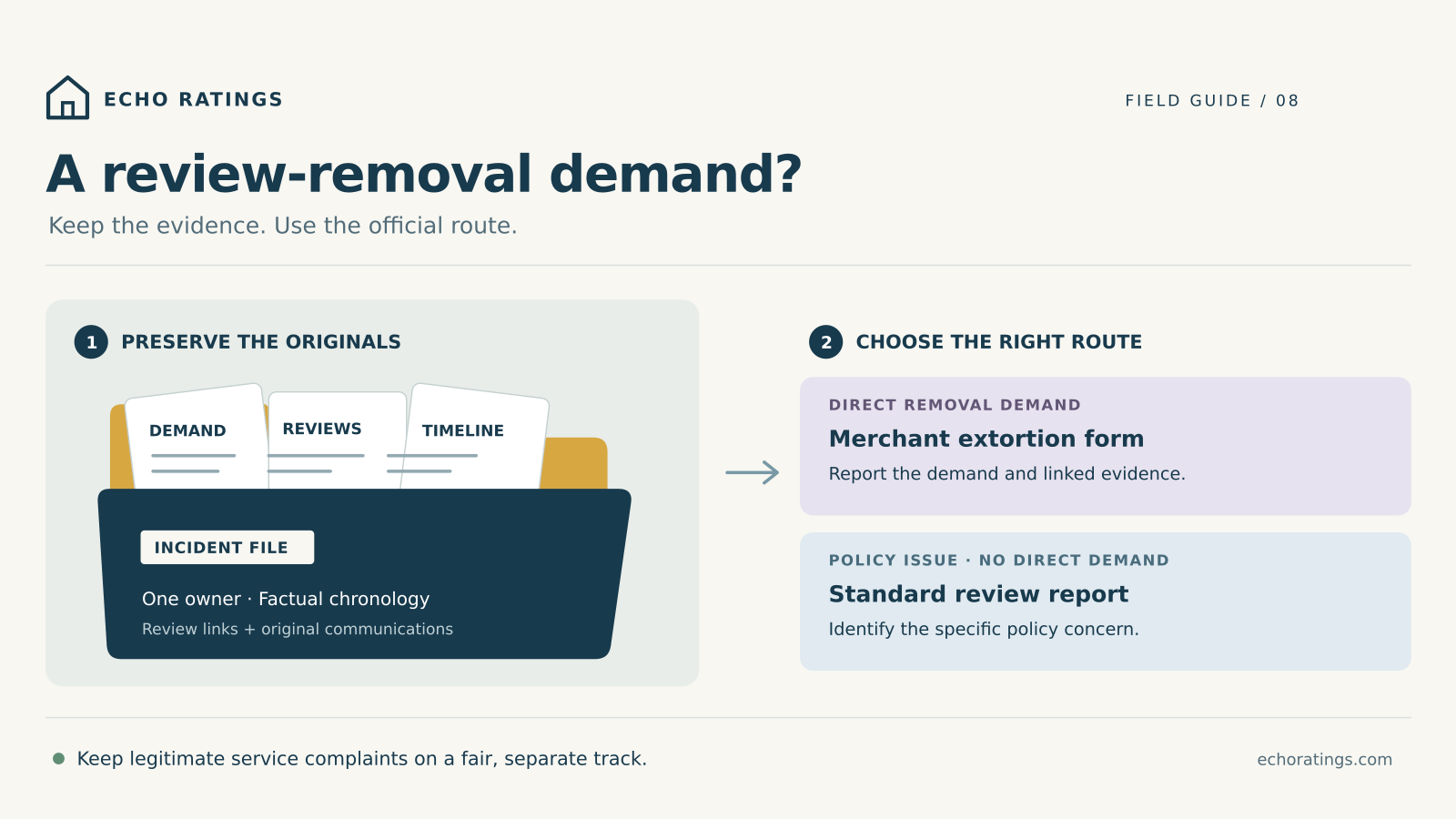
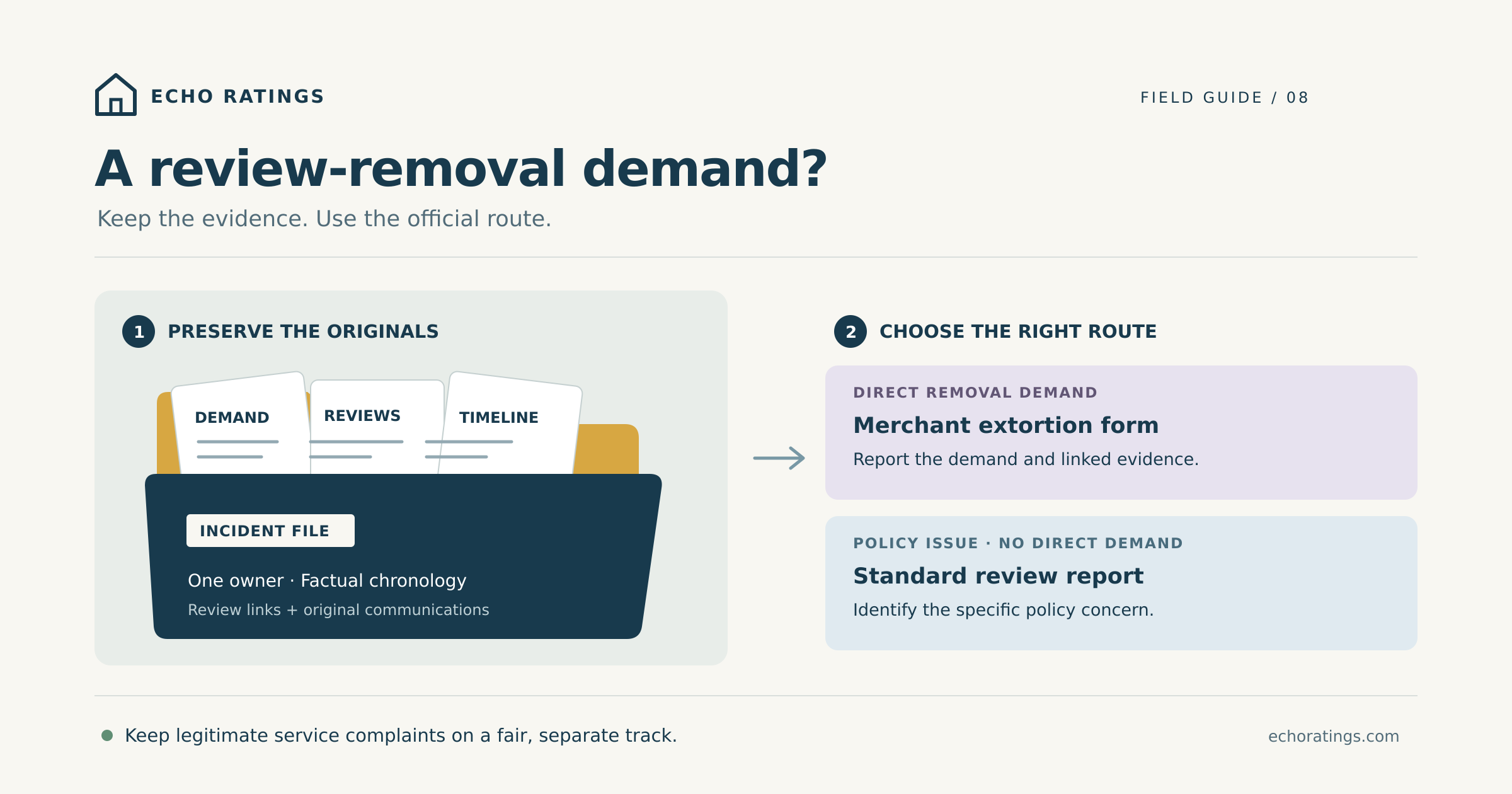
Preserve a message that links a demanded payment or favor to removing reviews. Note exactly what connects the message to the affected profile and reviews; do not fill gaps with assumptions. Google reserves its dedicated extortion channel for direct removal demands. Unrelated spam belongs in the normal reporting process.
Hypothetical example: A plumbing office receives several unfamiliar reviews, then a message offers to delete them for a fee. Save the message and review links together. This is an illustration of the reporting decision, not an Echo Ratings customer case or a finding about any real reviewer.
Build a small evidence file before details disappear
Create one incident record with restricted access. Separate the original material from working notes so staff can organize a report without overwriting the source. The following structure is a practical way to assemble the evidence Google requests.
Identify the correct business profile
Record the public business name, serving branch, profile link, and the person authorized to manage it. A regional brand should not submit a report for the wrong location. The multi-location review guide can help assign branch-level ownership.
Preserve the demand and its context
Keep the original email, message, or conversation where possible. Capture screenshots showing the sender identifier, date, time, demand, and surrounding exchange. Record the channel used and any contact details the sender supplied. Do not reply just to extract more evidence, open unexpected attachments, or follow payment instructions.
List the affected reviews individually
For each review, keep its direct link and a screenshot of the visible content, reviewer display name, rating, and date. Note when staff first observed it. Preserve what the screen actually shows; do not turn a relative label such as “a day ago” into an invented exact posting time.
Write a factual chronology
Use one time zone and distinguish three things: what staff saw, what the sender claimed, and what remains unverified. Record the order in which reviews and communications appeared. If a sender claims control of ten reviews but you can identify only three, state that difference.
A useful internal entry might read: “Office received the demand at [time and time zone]. The message claims control of [number] reviews. Staff located [number] linked reviews on [profile]. No payment was made.” Replace the placeholders with evidence; do not imply that the sender’s claim is established fact.
Keep customer information out of the public record
A home-service job file can contain addresses, access codes, household details, invoices, and photos. Store that material separately and include only what the official report needs. Never paste a private work order into a public review reply. Where internal notes refer to a job, a restricted record ID is usually more useful than copying the entire customer history.
Assign one incident owner and one backup. Give them responsibility for evidence, submissions, status checks, and staff updates. Record the case reference and any follow-up requests in the same file. This reduces duplicate work and gives the next shift a clear handoff.
Use the official reporting route
For a direct removal demand
Read Google’s guidance, then use the official merchant extortion form. Supply accurate business and contact details, the demand, the relevant review links, and the evidence connecting them. Explain your relationship to the business and identify the affected profile clearly.
Before submitting, have the incident owner check that links open to the intended reviews and that screenshots are readable. Remove speculation from the narrative. A concise chronology is more helpful than a long accusation. Keep a copy of what you submitted and any confirmation or reference returned.
Google says it investigates submitted cases and notifies the business of the result, though it may not disclose investigation details. Do not promise customers or colleagues a deadline, a particular removal outcome, or a restored rating.
For a policy violation without a removal demand
Use the normal review-reporting process and select a reason supported by the content. Track the status in Google’s Reviews Management Tool. If a reported review is found not to violate policy, Google provides a one-time appeal route for eligible decisions. Keep the original case and evidence together rather than starting an untracked reporting campaign.
Do not ask employees, friends, or customers to mass-report a reviewer. Do not buy replacement reviews or organize a rush of favorable reviews to bury the incident. Google’s Maps content policy requires genuine experiences and prohibits fake engagement and review manipulation.
If money was lost or the conduct needs law-enforcement review
For a U.S. business, the FBI’s Internet Crime Complaint Center FAQ explains how to report suspected cyber-enabled crime. Provide a precise account and any relevant transaction details. IC3 does not accept attachments with the complaint, so retain original evidence securely for investigators who may request it later.
Save a copy of the complaint before leaving the submission page. Filing does not guarantee an investigation or recovery of funds. Contact appropriate local authorities directly for urgent threats; a Google content report is not an emergency response channel.
Protect access while you manage the incident
Google’s Business Profile protection guidance warns against suspicious payment requests and impersonation. Treat an unsolicited “support” or “removal specialist” message cautiously. Never give an unknown sender a verification code or account access.
Use the official Help pages to reach reporting tools. Separately, review who in your company can manage the profile and who is responsible for incoming review alerts. The contractor software checklist helps frame ownership, permissions, and monitoring questions without assuming that software can secure a takedown.
Keep the public response calm and the service response fair
You do not need to conduct an investigation in a public reply. Where a response would help readers, keep it brief and avoid repeating the demand, posting sender details, or naming a suspected competitor. Do not claim that Google has confirmed wrongdoing unless you have evidence that supports that exact statement.
Optional response when the experience cannot be matched: “We have not been able to match the details shared here to a service record. Please contact [monitored business contact] so our team can look into the concern.” Use this only after checking the records, replace the placeholder, and remain open to learning that the reviewer used a different name.
For an identifiable customer with a genuine service problem, address the work through the normal service process. Keep any refund, callback, or warranty decision independent of a change to the review. Do not condition a remedy on deleting criticism. The review-gating guide covers related boundaries, and the FTC’s reviews rule Q&A explains prohibited suppression practices, including certain threats and intimidation.
Close the incident with a useful handoff
Record the outcome for each affected review, the reporting status, and any unanswered request for information. If a review disappears, record what you observed without assuming why. A missing review is not, on its own, proof that your report caused removal. The missing-reviews guide explains other visibility issues.
After the immediate incident, check whether staff knew who owned the profile, where evidence belonged, and which public response was approved. Improve that handoff. Keep normal invitations neutral and based on genuine completed service, using the home-service review framework. Do not turn recovery into a selective push for positive feedback.
Frequently asked questions
Does a burst of low ratings prove extortion?
No. Preserve the pattern and investigate it. A direct demand and the evidence linking it to reviews determine whether the dedicated extortion route fits.
Can a paid removal service guarantee success?
Treat a guarantee skeptically. Google decides whether content violates its policies. Never provide profile access or verification codes to an unsolicited sender.
Should we stop helping a customer once they mention a review?
No. Assess legitimate service obligations on their own merits. A complaint does not lose its substance because the customer also posted feedback.
Will reporting restore our rating immediately?
There is no guaranteed result or recovery timetable. Track the case, follow official instructions, and continue responding responsibly to genuine customers.
Build a review process your office can manage
A clear owner, accurate records, and a calm response make a difficult incident easier to handle. Explore Echo Ratings for review workflows, compare pricing, or request a free reputation audit. You can also start a trial or talk with the team about organizing your review process. Platform enforcement remains Google’s decision.
This guide provides general operational information, not legal advice. Official guidance was checked on October 22, 2026; consult appropriate counsel or authorities for the circumstances of a specific incident.