
Why HVAC companies need a review process—not occasional asks
HVAC companies create strong review opportunities every day: a broken air conditioner starts cooling again, a furnace is restored on a cold night, a maintenance visit prevents a larger problem, or a new system passes its final walkthrough. The customer can feel the result. Yet many satisfied homeowners never leave a review because the request is inconsistent, arrives at the wrong time, or makes them search for the business on their own.
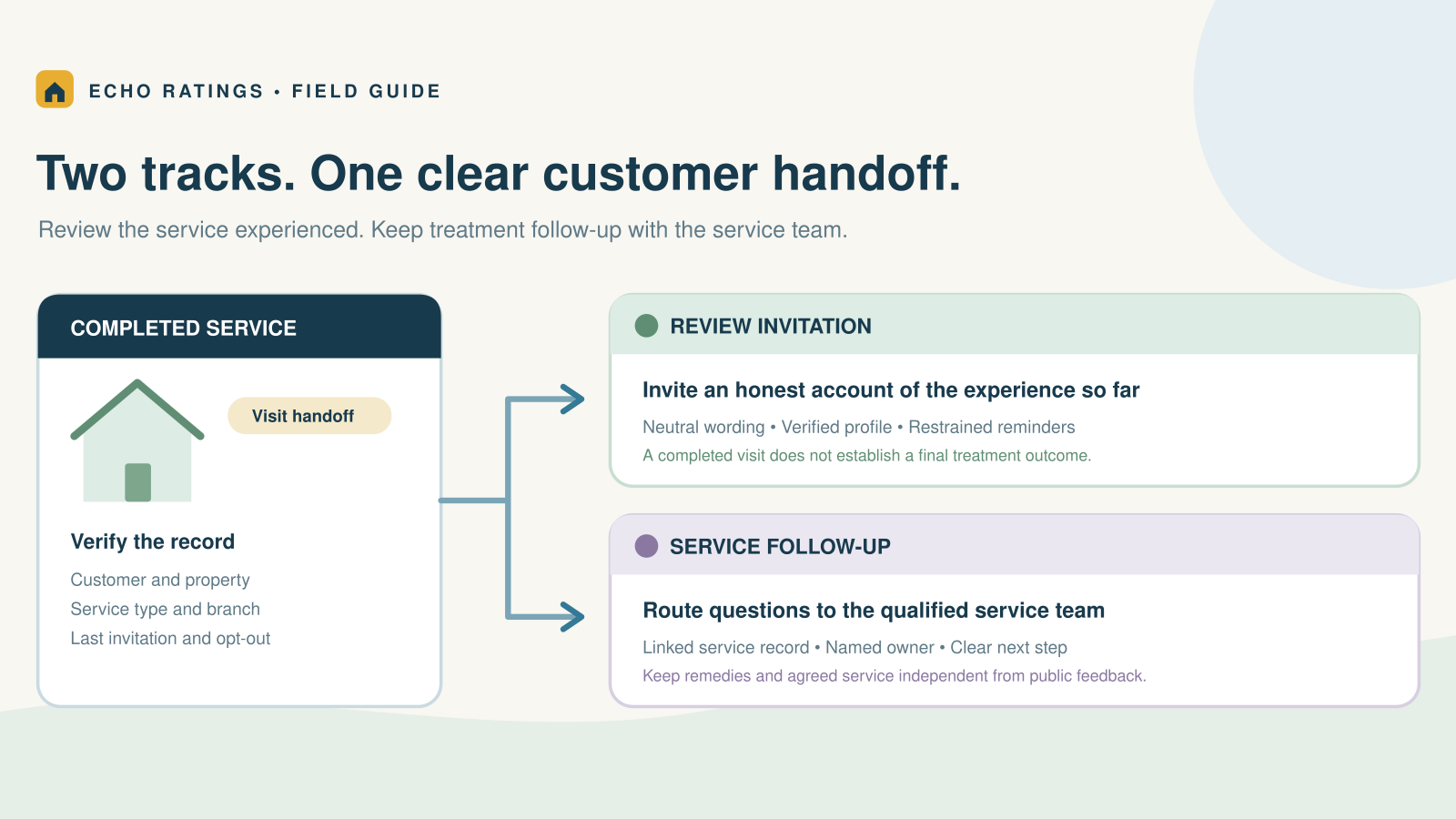
The solution is an operating process tied to completed work. Every eligible customer receives the same neutral opportunity to share honest feedback, the request opens the correct Google review form, and reminders stop when they are no longer appropriate.
This HVAC-specific guide builds on our broader playbook for getting more Google reviews for a home-service business. It focuses on the decisions HVAC owners, dispatchers, service managers, installers, and technicians need to make around job types, seasonal volume, multiple service areas, and technician handoffs.
Reviews begin with a trustworthy Google Business Profile
Before increasing request volume, confirm that customers are being sent to the right profile. The business name, address or service area, phone number, category, and website should accurately represent the company. Google’s Business Profile guidelines require accurate location and service-area information and prohibit using remote mailboxes as business locations.
For an HVAC company with several offices, assign the correct review link to each legitimate location. For a service-area business with one operating location, avoid creating unnecessary profiles for every city served. A clean location map reduces customer confusion and prevents requests from being routed to the wrong listing.
Define what “job complete” means for each HVAC service
A single trigger rarely fits every HVAC job. A maintenance visit, no-cool repair, emergency furnace call, duct project, and full replacement have different completion points. Document the event that makes each job eligible.
- Routine maintenance: The technician finishes the checklist, explains findings, and closes the visit.
- Repair call: The system has been tested and the immediate problem is resolved.
- Emergency service: The urgent condition is stabilized and the customer is no longer dealing with an active crisis.
- System replacement: Installation, startup, cleanup, and the customer walkthrough are complete.
- Multi-day project: Final work and agreed punch-list items are finished—not simply when equipment is delivered.
- Warranty callback: The original concern is actually resolved. Do not send a routine request while corrective work remains open.
The dispatch or field-service status should be the source of truth. “Technician dispatched,” “invoice created,” and “part ordered” are not reliable completion events. If technicians can close jobs before testing or customer sign-off, improve that workflow before connecting it to review automation.

A seven-step Google review workflow for HVAC companies
1. Start with an objective eligibility rule
Eligible customers should have received a genuine completed service. Exclude canceled appointments, estimates that did not become jobs, internal test records, duplicate contacts, customers who opted out, and work that is still unresolved. Apply the same basic rule regardless of whether a technician expects praise or criticism.
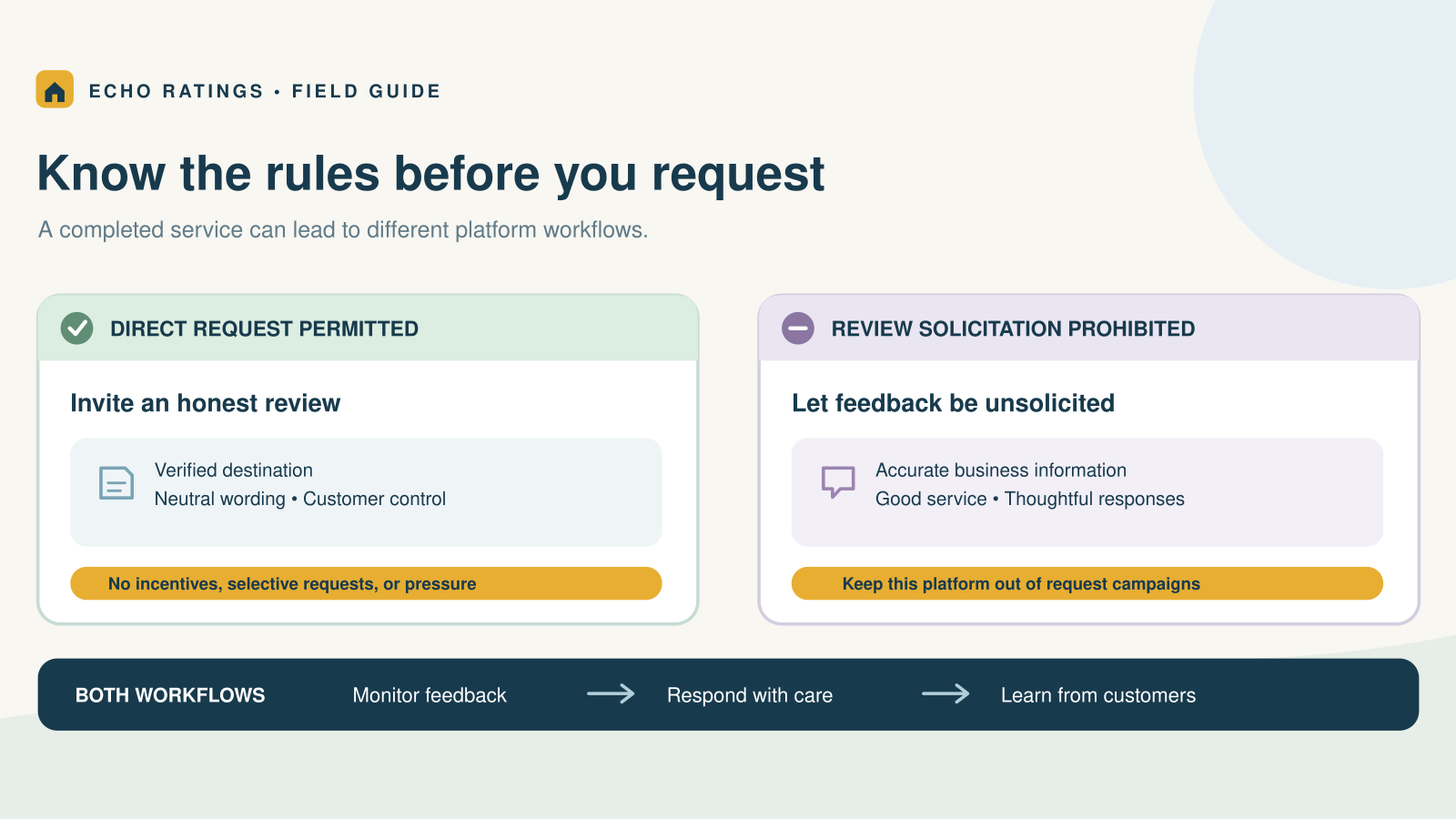
Do not use a private satisfaction score to decide who receives the Google link. Selectively routing happy customers to Google is review gating. Google’s Maps user-generated content policy prohibits discouraging negative reviews and selectively soliciting positive ones.
2. Connect the trigger to one source of truth
Choose one system to initiate the request—usually the field-service platform, CRM, or invoicing system. When several systems can mark work complete, duplicate messages become common. Store the customer record ID, job ID, service location, completion time, and last-request date so the workflow can suppress repeats.
For the complete technical sequence, read how to automate Google review requests after a service call.
3. Select the correct Google review link
Send customers directly to the review form instead of the homepage or a Google search. Google provides an official process to create a review link or QR code from the Business Profile. Store each authorized location’s link alongside its location ID and test it on mobile and desktop.
4. Time the first request around the HVAC job
- Maintenance: Later the same day, after the homeowner has received the visit summary.
- Completed repair: One to three hours after the system has been tested is a practical starting point.
- Emergency call: Wait until the situation is stable and send during reasonable daytime hours.
- Replacement or installation: Send after startup and the final walkthrough—not at equipment delivery.
- Recurring commercial service: Ask after a meaningful milestone instead of every visit.
These are starting points, not universal rules. Monitor delivery, response, complaint, and opt-out data, then adjust timing for the way your customers actually behave.
5. Send a short, neutral message
Hi [First name], thank you for choosing [HVAC company] for your recent service. Would you be willing to share an honest review of your experience? [Google review link] Reply STOP to opt out.
Use personalization only when the data is reliable. The correct business name and a general service reference are usually enough. Avoid placing equipment problems, financing details, health information, or other private service details in the message.
For additional SMS, email, reminder, and emergency-service copy, use our Google review request templates for home-service businesses.
6. Use one respectful reminder
If the customer has not responded, start with one reminder after two or three days. A final reminder about a week after the first request may be appropriate if delivery and opt-out data support it. More messages can create fatigue during peak heating and cooling seasons.
7. Stop the sequence when appropriate
Stop reminders after an opt-out, a customer reply, a confirmed review when the integration can reliably detect one, or a manual suppression by the service team. A link click does not prove a review was posted. Do not repeatedly message customers based only on uncertain activity.
Make the technician handoff easy and consistent
Technicians should set expectations without pressuring the customer. A simple handoff is enough:
You may receive a short message from our office asking for feedback. We read every response, and honest feedback helps us improve.
The technician should not ask for five stars, hover while the customer writes a review, suggest specific wording, or offer a discount for posting. The office or automated workflow can deliver the review link after the visit, allowing the customer to respond privately and on their own time.
Separate technician accountability from star-rating pressure
Use operational measures to coach the team: completed checklists, accurate job closure, customer contact accuracy, request delivery, response time, callbacks, and complaint resolution. Avoid employee contests or compensation tied to obtaining positive Google reviews. Those incentives can encourage pressure, selective asking, or requests from friends and family.
Handle peak season without overwhelming customers
During a heat wave or cold snap, completed-job volume can rise quickly. Automation should scale the process without scaling mistakes.
- Use quiet hours and the customer’s local time zone.
- Cap duplicate requests when one household has several visits for the same issue.
- Pause a sequence when a callback or open complaint is recorded.
- Confirm that emergency jobs are stable before sending.
- Monitor failed sends and opt-outs daily during volume spikes.
- Keep separate review links for legitimate locations and service territories.
A temporary operational pause during an active complaint can prevent an insensitive message. It should not become a permanent system that withholds the public review opportunity from everyone expected to be critical.
Respond to HVAC reviews with useful context
Google recommends replying to reviews to show that customer feedback matters. Its review-management guidance explains how businesses can read and respond through their profiles.
For positive reviews, acknowledge the service without repeating private details. For critical reviews, remain calm, recognize the concern, and invite an offline conversation when account-specific information is needed. Do not argue about equipment history, payment disputes, addresses, warranties, or customer health issues in a public reply.
What HVAC operators should measure
- Eligible completed jobs: The denominator for understanding request coverage.
- Requests attempted and delivered: Reveals missing or invalid contact data.
- Completion-to-request time: Shows whether dispatch statuses are closing promptly.
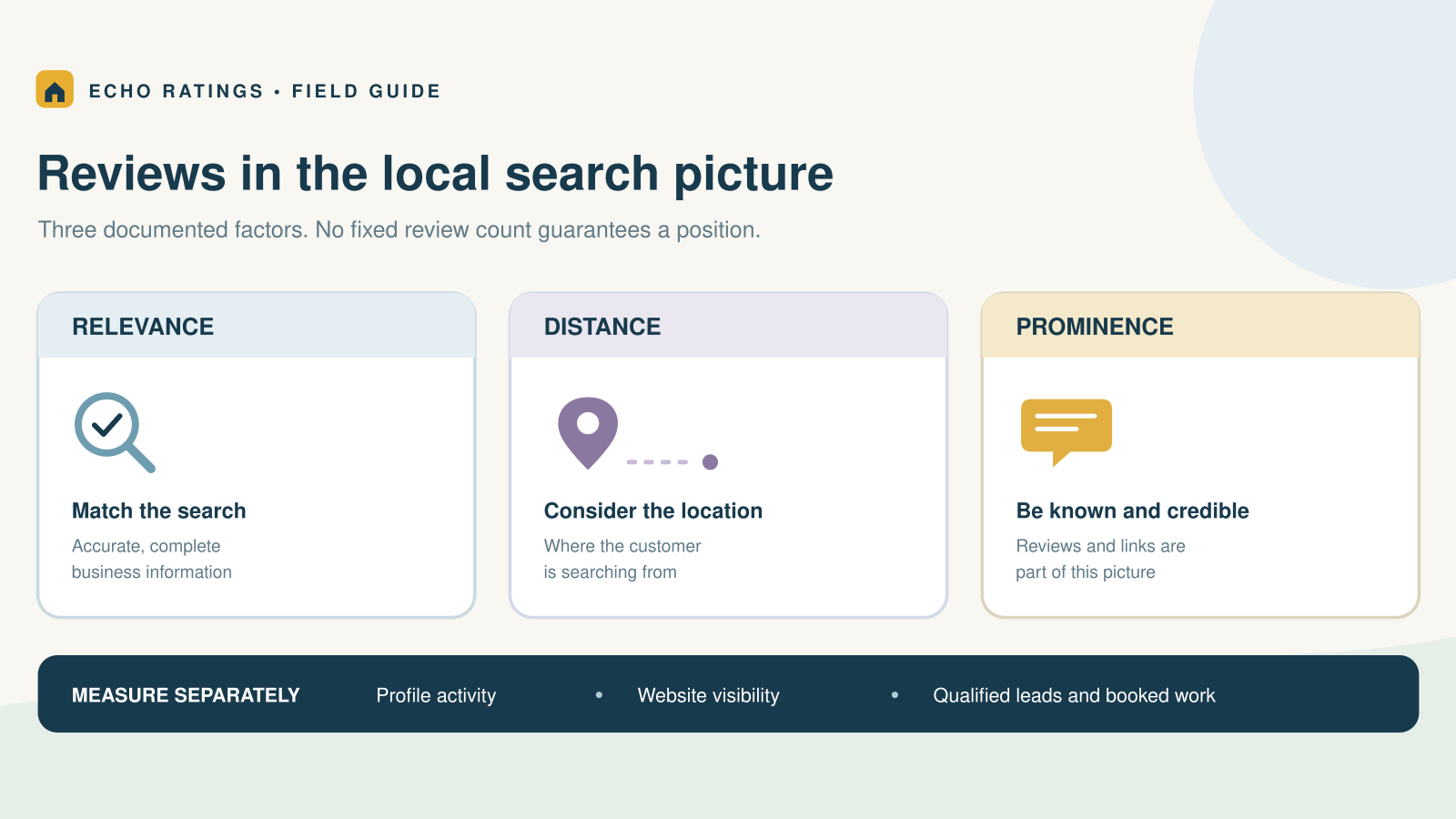
- Link-click rate: Indicates interest but not confirmed review submission.
- New review volume by location: Helps identify broken links or inconsistent workflows.
- Duplicate-request rate: Especially important when a repair includes callbacks.
- Opt-out and complaint rate: Signals excessive reminders, poor timing, or consent problems.
- Public response time: Measures whether new feedback is being acknowledged consistently.
Review these metrics weekly during the first month and during seasonal surges. The goal is a dependable customer-feedback process—not a quota that encourages manipulation.
Compliance safeguards for HVAC review requests
Do not offer incentives for Google reviews
Google prohibits payment, discounts, free goods, or services in exchange for posting, revising, or removing a review. Do not offer a tune-up discount, filter, maintenance credit, contest entry, or gift card for leaving a Google review.
The Federal Trade Commission’s review guidance for marketers also advises businesses not to request reviews only from customers expected to be positive. The FTC’s Consumer Reviews and Testimonials Rule Q&A provides current federal guidance on fake reviews and incentives tied to sentiment.
Respect text-message consent and opt-outs
Automated texts may be subject to federal and state requirements depending on the technology, purpose, consent, and customer relationship. The FCC states that consumers may revoke consent to robocalls or robotexts at any time through reasonable means. Review the FCC’s current robocall and robotext guidance, collect appropriate consent for your program, recognize reasonable opt-out language, and stop applicable messages promptly.
This article provides general information and is not legal advice. Platform policies and federal, state, and local requirements can change. Obtain advice for your specific messaging program and jurisdictions.
A practical 30-day HVAC rollout
- Week 1: Audit Business Profiles and review links, map every HVAC job type, and define objective completion and suppression rules.
- Week 2: Connect the source-of-truth completion event, test location routing, confirm quiet hours and opt-outs, and train technicians on the neutral handoff.
- Week 3: Launch with one service team or location. Review every send, callback, duplicate, and customer reply.
- Week 4: Compare eligible jobs, delivery, clicks, new reviews, opt-outs, complaints, and response time. Correct the workflow before expanding.
Frequently asked questions
When should an HVAC company ask for a Google review?
After the service is genuinely complete and the customer has experienced the result. Routine maintenance can be followed later the same day; repairs may be followed after testing; installations should wait until startup and the final walkthrough.
Should the technician ask for the review in person?
The technician can mention that an honest-feedback request will arrive, but the customer should be free to respond later without pressure. Send the direct link through the office workflow.
Can HVAC companies offer a discount for a review?
Do not offer discounts, free products, service credits, or other incentives for a Google review. Ask for honest feedback without conditioning any benefit on posting or sentiment.
Should a callback prevent a review request?
An active unresolved callback can temporarily pause operational messaging. Once the issue is resolved, use a consistent policy that does not permanently exclude customers because they may be critical.
How many reminders should an HVAC company send?
Begin with one request and one reminder. Consider a second and final reminder only when response, complaint, and opt-out data show that it remains appropriate.
Build reviews into the HVAC service workflow
The strongest HVAC review programs are simple: close the job accurately, check eligibility, choose the correct location link, send a neutral request at a respectful time, honor opt-outs, stop unnecessary reminders, and respond professionally to the feedback received.
Echo Ratings helps service businesses make review follow-up consistent while owners and managers stay in control. Explore the Echo Ratings review-management platform, compare pricing, start a free trial, or book a demo.